
Atari Video Is Finally Solved

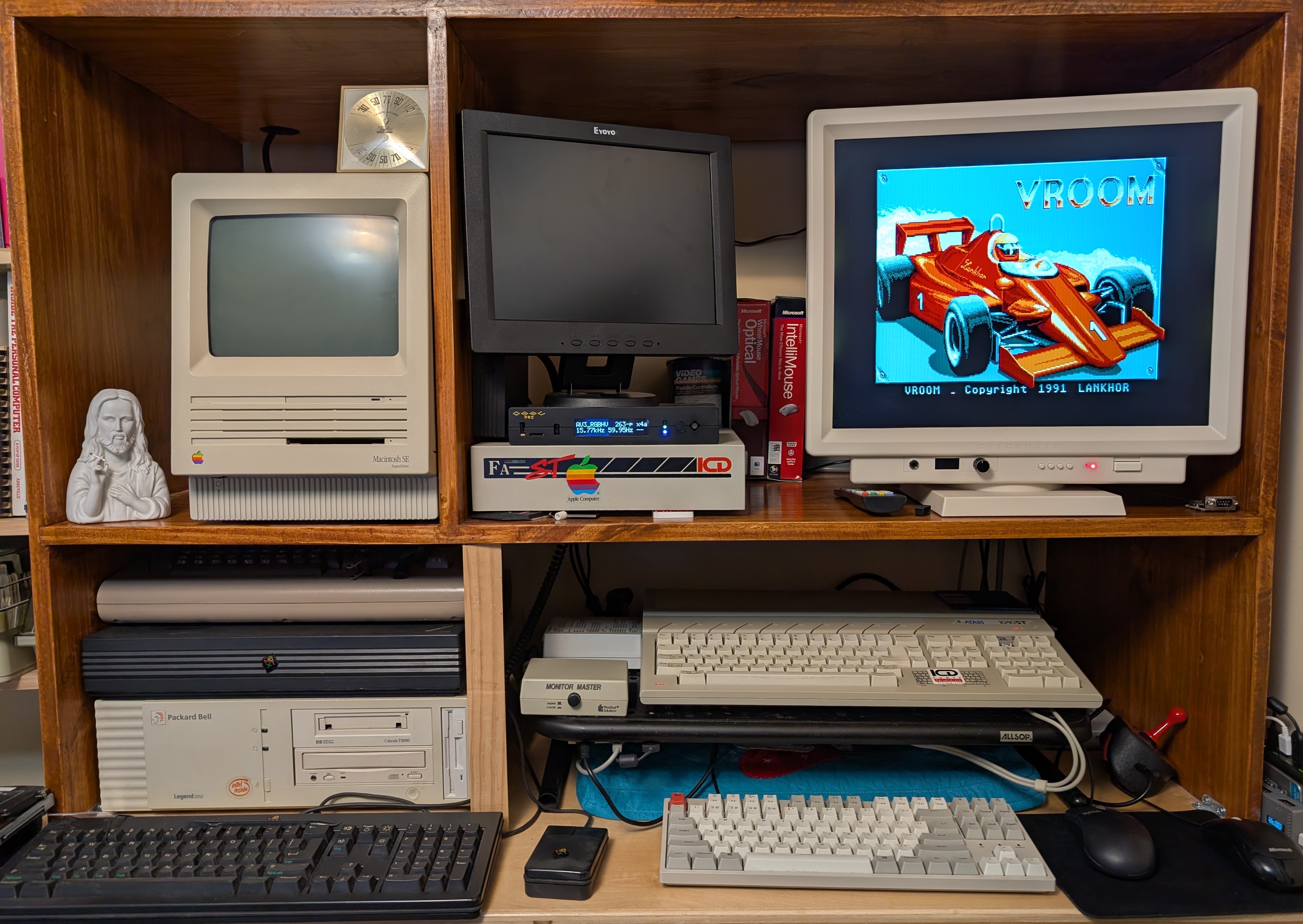
Getting video off my Atari 1040STf has been a real journey. The general consensus is that high-res mono will work on any monitor, and then for color you'll just make a composite mod cable coming off your standard Atari monitor port. The trouble is that composite video is only on that port if you have an RF modulator, so either STFM or STE so that wasn't really an option. When I got the ST I bought a Truemouse USB dingus and a DIN 13 to VGA, but that thing never worked. It's likely I immediately smoked it, I'm not really sure what the deal is there, but I just figured I needed something Special even for mono. I've seen videos of people using Mono on an LCD but figured they had some scaler going on.
While all this was happening I joined the kickstarter for the Checkmate IPS monitor. This thing is a /monster/ and I love it, but a main factor in my decision was its advertised support for 15khz video produced by the ST's color mode. However it wasn't clear that that support relies on having composite video. The VGA port is unfortunately 35Khz only. Not their fault, it does what it says on the tin. The tin is just ambiguous ;-)
While I was poring over various methods to fix all this I did, after watching Rees' shootout videoactually get an OSSC Pro, which was definitely the right move. However totally unrelated to that searching this video by BackOfficeShow popped up from 8 years ago and sparked what would become the answer. Big shout out. I'm a long time subscriber but never came across this one. Basically you can just passively wire an Atari DIN-13 to a VGA cable directly and it'll just work, at least for mono since again, 15Khz sync for the color mode. But I had the OSSC on the way and his switch seemed like it ought to just work. I just need to order a switch and a 13 pin DIN port or rip the one off my non-functional $9 Atari -> VGA dingus.
While digging around looking for "extra" cables it dawned on me that I thought I had a monitor switchbox, and indeed, here it is with the ST:
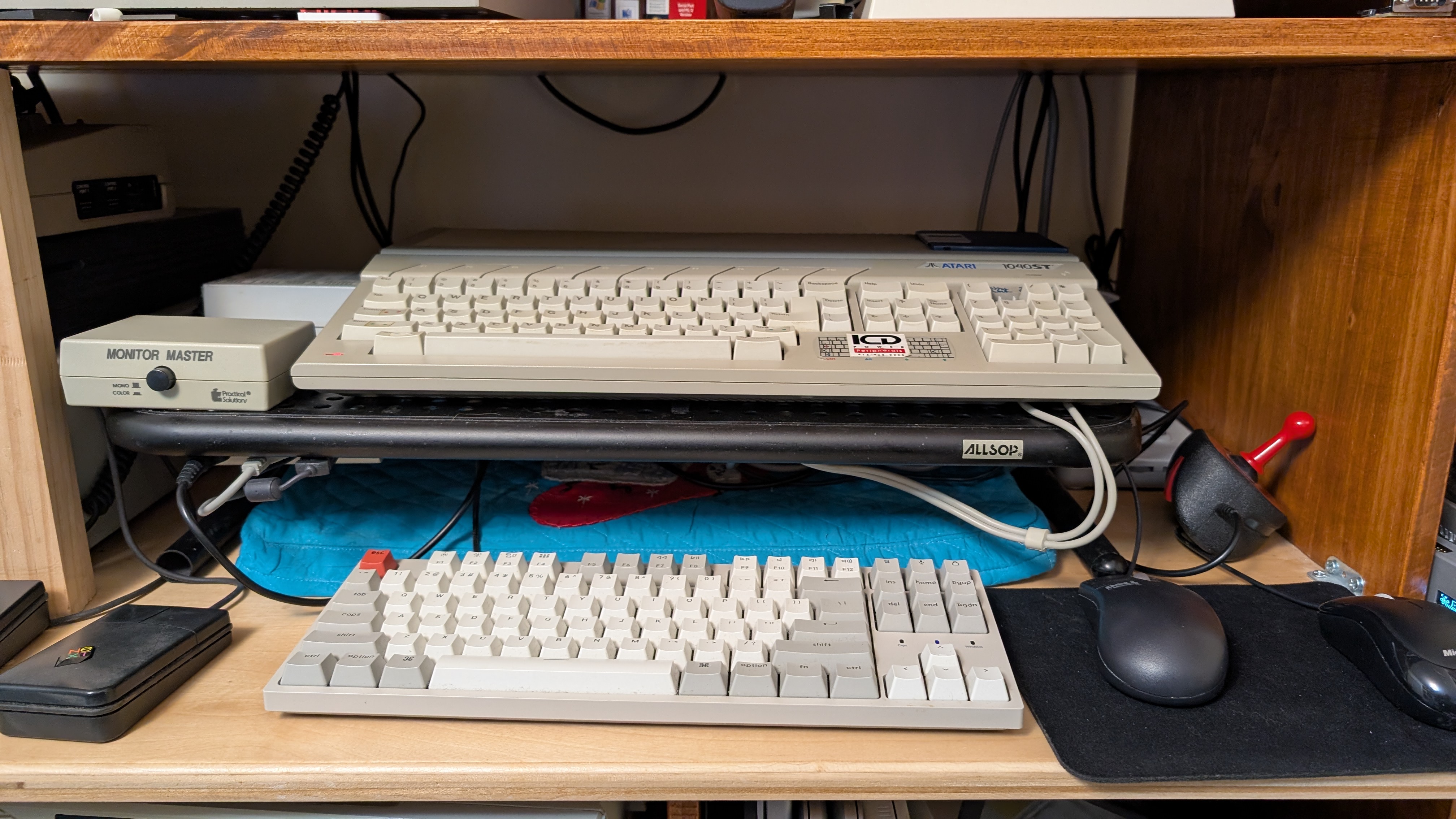
This box is a Practical Solutions Monitor Master, is designed to have two monitors plugged in and switch a single inbound signal between them. It's got a single latching switch at the front, and a permanently attached monitor cable to the computer, two monitor-out ports, mono audio out and composite out on the back.
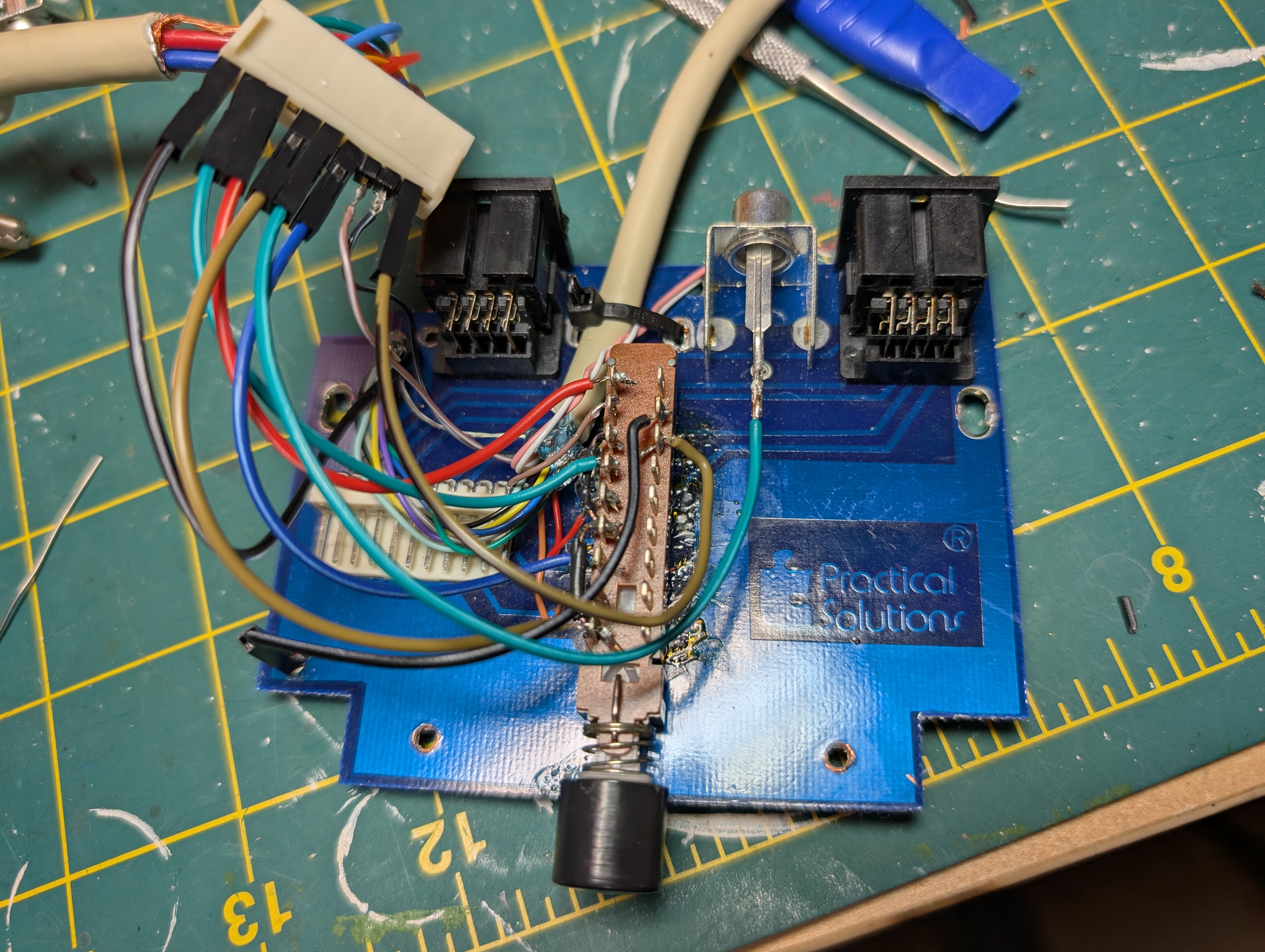
Turns out the switch inside is a 6 way 2 pole switch which is more than enough space to do what I need to switch. What I ended up doing was to pull out the composite connector and use that hole to run my VGA cable out of. The switch very helpfully has pins on the top side for each of the sets of switched connections, so I was able to use the "left" side for the R, G and B/Mono signals and one of the other pairs for the mono detect line, which basically just grounds the mono detect wire when the button is latched. Oh and I had to lift the signal pin for the audio and run that separately. Of everything I feel this connection is the most tenuous. If I do it over again I would leave the audio switch intact and wire that up through the board as normal.
Rather than remove the switch or modify the internals in any way, I just bypassed the on-board connector altogether and only used the board for the ground plane. I just have dupont connectors connecting to the ST-side cable and then soldered to the appropriate switch pins. This means my signals are going all over the place, and probably bad things will happen if you plug a monitor into one of the monitor ports while it's configured this way, but it's also quickly reversible. Just rip out my crappy wiring and plug the cable into the original connector and you're good to go.
Here's kind of a demo:
The man I bought this collection from had color and mono monitors, and obviously bought a monitor switchbox because he always had the good toys. It's kind of important to me to maintain and recreate the original workflow for this machine. A couple of my major goals are to use the original ICD hard disk enclosure (with a BlueSCSI, I'm not a madman) and the Spectre GCR cartridge. I remember this machine in this configuration from the late '80s and early '90s, so I want to get it fully up and running as original as I can.
- xrayspx's blog
- Log in to post comments
- 624 reads