Posts about my Atari ST, 8-bit, Game Console and Emulation.
Ataris I have:
400
65XE
130XE (two)
1040ST (with 4MB, Spectre GCR, PC Ditto II and lots of other goodies!)
Multiple 2600s
XEGS
MiSTer console with all the favorite ROMs
Atari Flashback we've never used
Tiny "dollhouse living room" sized 2600 which actually plays games on like a 2" TV.
Various goodies. Multiple 1050 drives, an Indus GT! Both the "old school" 410 and "XL era" 1010 tape drives. ICD and Practical Solutions gizmos galore like the Monitor Master, which I've savagely hacked. But also the Mouse Master. Multiple Gravis analog sticks.
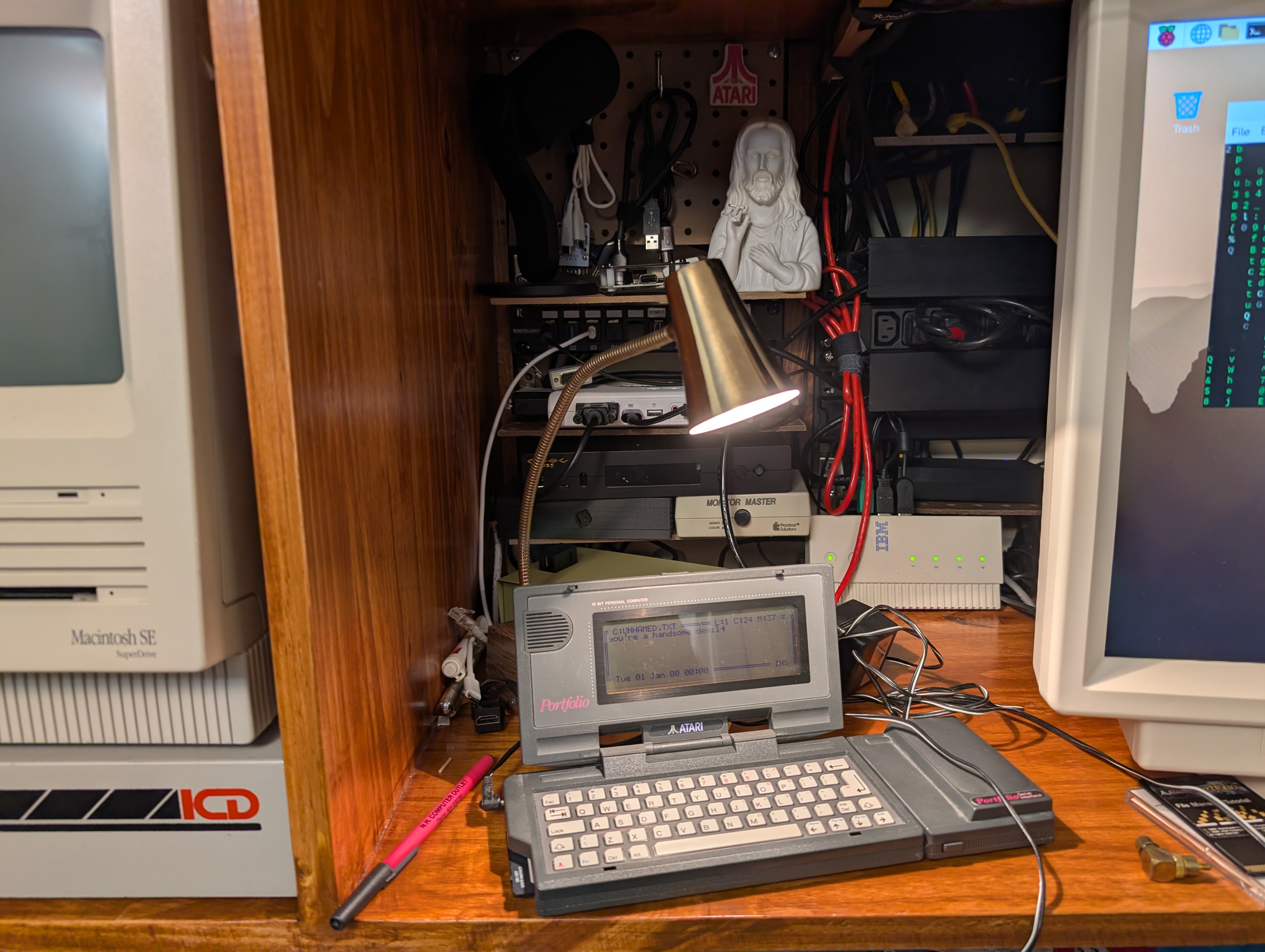
Today in objects I never thought I'd hold in my hand. Thanks to the very generous leader of my 1980s/90s Atari User Group, I just got an Atari Portfolio. This keyboard is AMAZINGLY easy to just start typing on as I just start poking around this thing. Hopefully I can figure out how to transfer programs to this so I can try to get a terminal emulator up and running on this. How else am I going to hack that ATM?
(1) Once again, my title music really is just what is on my radio station right now, between Elvis Costello and Ian Dury & The Blockheads.
Just after this Karl Jobst video, I finally watched the Perifractic / Commodore "We remade our AI ad with real actors because we heard you, our most valued and loyal customers" video, wherein they themselves just splice various news reports together by-the-script which had caused their sales to go crazy and now they can hire human beings to remake the ad. No one could have predicted the engagement from the full backlash.
Just saying Retro Gamers. Of course no one could have predicted that there'd be any backlash to two professional actors with a history of fantastically polished and produced long-form videos "not being able to make" a commercial with either their own human talent and labor or to pay someone to create something.
Of course there would be backlash. This is two professional actors, who made the money they have by acting, saying that they could not produce a 30 second ad without making a warehouse full of video cards do it for them. These people have been making very professionally produced long-form engaging videos for years. For them to say "We don't have any money / resources and needed it fast so AI" is laughable.
Took me forever to find this Perifractic reply video. I just download stuff and watch it later. I never saw any of their other "controversy" nonsense, I just downloaded this one weeks ago and begrudgingly watched it because Karl is murdering my faith in human society.
Here. Youtube /really/ doesn't want people to share shorts. They're meant to disappear. Just like this controversy after throwing a YT short bone to the 3 or 4 people who really got mad.
In any case, at the 45 second mark, he openly plays back the script these News Show People are reading by splicing together clips from different broadcasts.
So to the extent that any of this "Actually Happened", a lot of publicity happened for the phone. And probably as importantly, the manufacturer of that phone.
If indeed the deluge of local news coverage from around the country actually happened... I can't know, can I? They could just be actors, who knows. In any case IF that happened it wouldn't surprise me in the slightest if it was largely paid for by the phone manufacturer. The interest it would generate wouldn't only be for Peri and his Commodore phone. Regular people who want the flip phone but don't care about the niche retroey branding can just get one from the manufacturer.
I believe I am exactly the target of this ad / campaign, preemptive backlash. I'm the guy who pretty much wrote off Peri a while back but never unsubbed. I've watched him buy Commodore and start selling stuff, which has gotta be a net good. But there's a lot of smarm and weird BS and I mostly filter him out since around when they started doing the mailcall show. I was aware through Fark and whatnot that there was a Commodore branded flip phone they were releasing. Which is aimed exactly at me. Or at least my neighbor. I had Ataris. I don't fully trust Atari (and Intellivisions apparently) current "IP rightsholders" either.
But I've recently left the 100 hour week hamster wheel and have no need for a $400 replacement when Google decides I can't upgrade my Pixel 8 anymore. It's great, and they were like relatively cheap, but even still I don't need a $400 phone. I want to stream to my car stereo from an Android app, which I think is doable on his thing, I dunno, I was going to look but I really don't need any phone and if I did I'd just get a normal one from the manufacturer probably. I did also see the TAC-2 short and briefly questioned whether I should spend $50 on a joystick I already have an original example of which still works just fine. Gotta have backups you know.
I fuckin' hate the future.
Update:
Wait a second fuck! That flip phone thing COSTS $400? Absolutely not. Fuck me.
Today was my last day at work, so of course I'm pulling an all-nighter working on projects and building my workflow. I don't think that will ever stop.
*I just got yelled at at 2:40am for pulling an all-nighter right now today. I'm like dude, it's my vacation, and this is me, relaxing on my goddamn vacation! I can sleep in a few days*
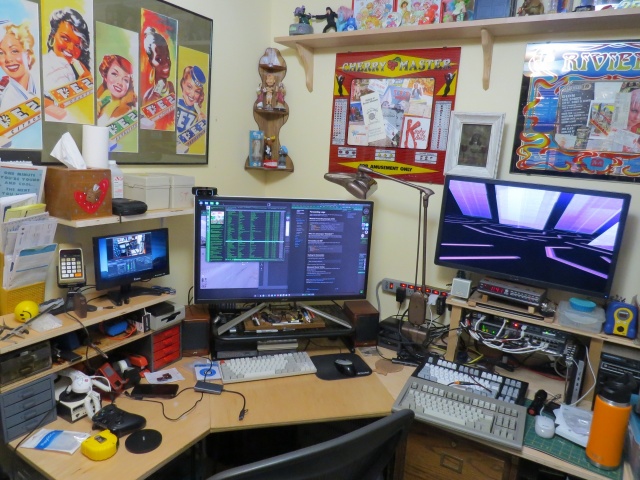
This is the desk I sat at for the last 5 years of my job and for two days a week for a decade before that. To be honest it feels weird for the job to be gone and for me to still be allowed in here. This is likely the last photo that will have my work laptop running Gibson in it. I am currently running through every bin and every parts drawer and converting my entire life over from full time network and server admin to ... someone who just hangs out and does projects and upgrades and documentation for a while.
And this is a sneak peek at what I mean when I say "I have a lot of projects in mind for this CheckMate monitor". I'm waiting for one sort-of crucial piece to this puzzle, then I'm going to make an in-depth tour of how I run all of this stuff, from media services to radio broadcasts. I'll be upgrading and making a lot of sysadmin improvements now that I have been freed for a bit. Retro computers are a piece, but are not really the "purpose" of this pile of stuff. My talents lie elsewhere. Fun times ahead as I embrace my inner digital hermit! I will explain why that is a good thing.
The Disposable Heroes of Hiphoprisy - Television, The Drug of the Nation
For a year now I've had a Checkmate 19" 4:3 aspect ratio monitor, and I want to show how that's getting used. The reason I kind of sat on it for so long is that I got frustrated, then depressed and spiraling, and finally decided to fix things and spend myself out of my problems. For Health! And here we are, fully working solution, I'm super happy.
I've seen these monitors start showing up in videos from folks like Nostalgia Nerd and Modern Vintage Gamer, but I haven't seen them really exploring it so I want to share some of my favorite use cases. And with my upcoming sabbatical I'm planning on doing a lot of projects involving the machines you'll see here so I wanted to kind of intro everything before I get started on those.
So let's go check it out! (Caveats: I am not comfortable making videos, and I'm not good at it. I didn't edit out many of my "behind the scenes" bumbling because if I have to figure it out, you have to watch me figure it out! Hopefully you find my awkward bumbling "charming")
TL;DW;
The Checkmate is not just a monitor, it's also an integrated electronics project box, 2u mini-rack and hacking platform.
Basically as I said I ran into one or two semi-issues. The 15Khz horizontal scan rate thing on the VGA port was a real bummer and sent me down a hole, but the OSSC Pro worked out great to help solve that, even though I really don't understand that thing at all. It looked like shit for like a month and just through random button-mashing I got it to work great for both mono and color on the ST. Thanks to CTRL-ALT-Rees for the in-depth review of the OSSC vs RetroTink video specific to the Atari ST platform. If I ever get up the courage to do a factory reset on the OSSC I'll try and document exactly what settings need to be twiddled to make this work in my case.
Thanks again also to BackOfficeShow for leading me to the realization that converting ST to VGA was all just a simple passive "hook the wires to the other wires" process which inspired me to do my Monitor Master hack!
Future projects and other use cases
I do want to see if I can hack a GoTek in there to use as a drive on my ST with the rotary encoder in the monitor. That would be about the slickest thing imaginable. I'll probably get a GoTek with an encoder and try to remove that one and use the monitor one instead.
There are 12VDC headers on the backplane board. Can I wangle one to a barrel jack and mount an 8 port switch in here? I have a couple of 12v@1A Netgear GS108T switches and I'd love to see if I can pull that much power and have a little self-contained network. This is pointless. The Pi in there is just on WiFi, but I kinda want to see.
My most recent job ships cases and cases of hardware to healthcare trade shows. Much of the network hardware for the booth and even small PCs for running demos could easily be securely fitted into a Checkmate with the HDMI out going off to a big TV.
Portable industrial control and automation platform as a self contained control station again with several SBCs and integrated network switching
I'm a network and datacenter-ops guy who naturally looks at everything through that lens. If I were building a crash cart or repair workbench I'd love these just to fill with low power SBCs (Pi 3 works great) and switching for a portable KVM, isolation network and test suite.
While they're not "cheap" for a consumer product, thinking in terms of even small-scale datacenter hardware they're an absolute /steal/.
Other Quirks
I did run into a race issue with the Raspberry Pi as well. I think it takes a bit for the monitor to be fully up and ready to receive video as it starts up. At first I thought it might have been an inrush current type thing, but I think it's just that the monitor isn't "up" yet when the Pi starts shooting out video.
When I'd boot the monitor cold there would be no video until I unplugged and re-plugged power to the Pi. To fix that I added a 10000ms delay to /boot/config.txt and it works great:
boot_delay_ms=10000
To give you a sense of the depth of my personal psychosis, the other issue I kind of have is a ridiculous future-proofing one that is bonkers to even be worried about. There are 6 HDMI inputs on this monitor, but only the main one is directly addressable through the front-panel buttons. Using the front panel, you can switch between HDMI-1 and one of HDMI-2 through HDMI-6. To select between HDMI-2 -> 6 you must use the remote. You can kind of see me do this in the video.
From what I can figure out this of course makes total sense. The UI firmware of the panel, like the off-the-shelf stuff that is the same as the EYOYO monitors, knows nothing about the riser card with all those extra ports on it right? The firmware knows about two ports. The external HDMI-1, and an Internal HDMI that the mezzanine card plugs into, and can select between them. The remote therefore isn't interacting with that COTS firmware to do this, but instead it's controlling the mezzanine card to switch the input among the other 5 ports, which is a very neat way to work around that. I mean obviously the firmware can select the riser card ports, because that's where the composite inputs live as well. If I had to guess it "only" had code to handle two HDMI inputs, so this workaround was implemented.
That's obviously a totally rational way to do this, and really the only way you probably can. It's awesome. My "planner" brain is just saying well, what about in 30 years when that remote is dead or lost. How do I select those ports?
For all I know I can control that mezzanine card totally in code over GPIO from a Raspberry Pi, or serial, or LIRC (which this probably is). Who knows. That's Future Guy's problem. I haven't even dug into that, but I certainly intend to! I want to see just how far I can push this.
Greetz and Links
Checkmate1500plus.com for making an excellent project out of total engineering passion. Excellent work all around to Steve and Appy and the rest of the team!
BackOfficeShow.com for showing how easy it can be to convert ST to VGA and switch between mono and color.
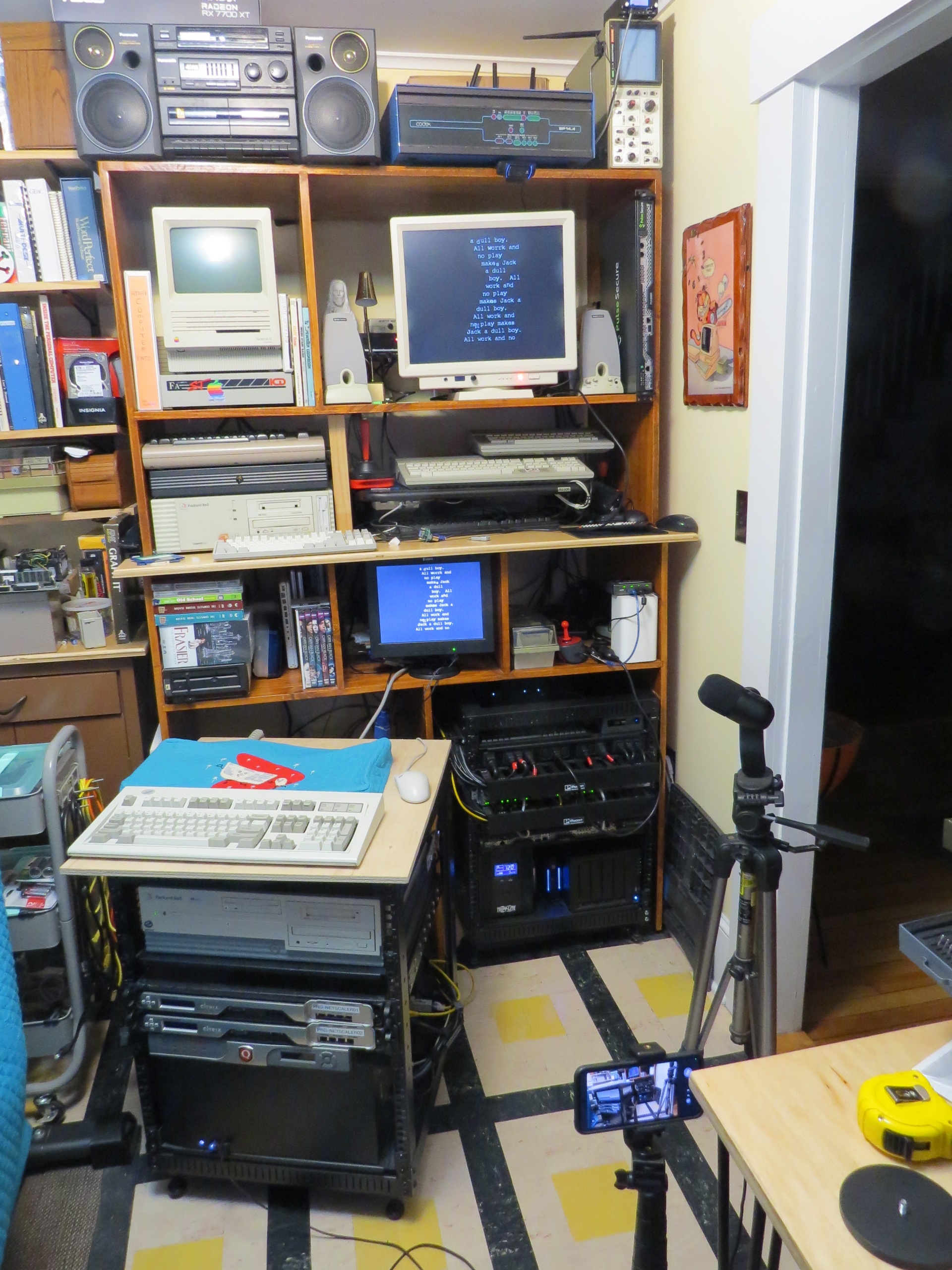
I made a quick tour video for an audience of about four. Here's a brief look at the basic stuff in my office, much of which I will do better quality videos about soon. Maybe like a monthly VAST/SPACE meeting? I dunno.
Enjoy the 1992 aesthetic. Pretend it's a VHS-C tape or something you found at Goodwill.
Update: I didn't notice the screensaver during the whole desk part until uploading just now and it's my favorite thing ever.
Sinéad O’Connor - Jerusalem (AKA the nice lady who was right about near every goddamn thing)
I'm running this setup to backup some Atari ST 720K floppy disks I have. I'm interested in backups of BBS newsletters and general BBS/Early-Internet ephemera from the '80s and '90s and I'm finding cases where at a glance I can't find that specific copy of like STReport or whatever on the Archive. Also anything fun related to the specific Atari club we were all members of since this is likely the only copy of any of that.
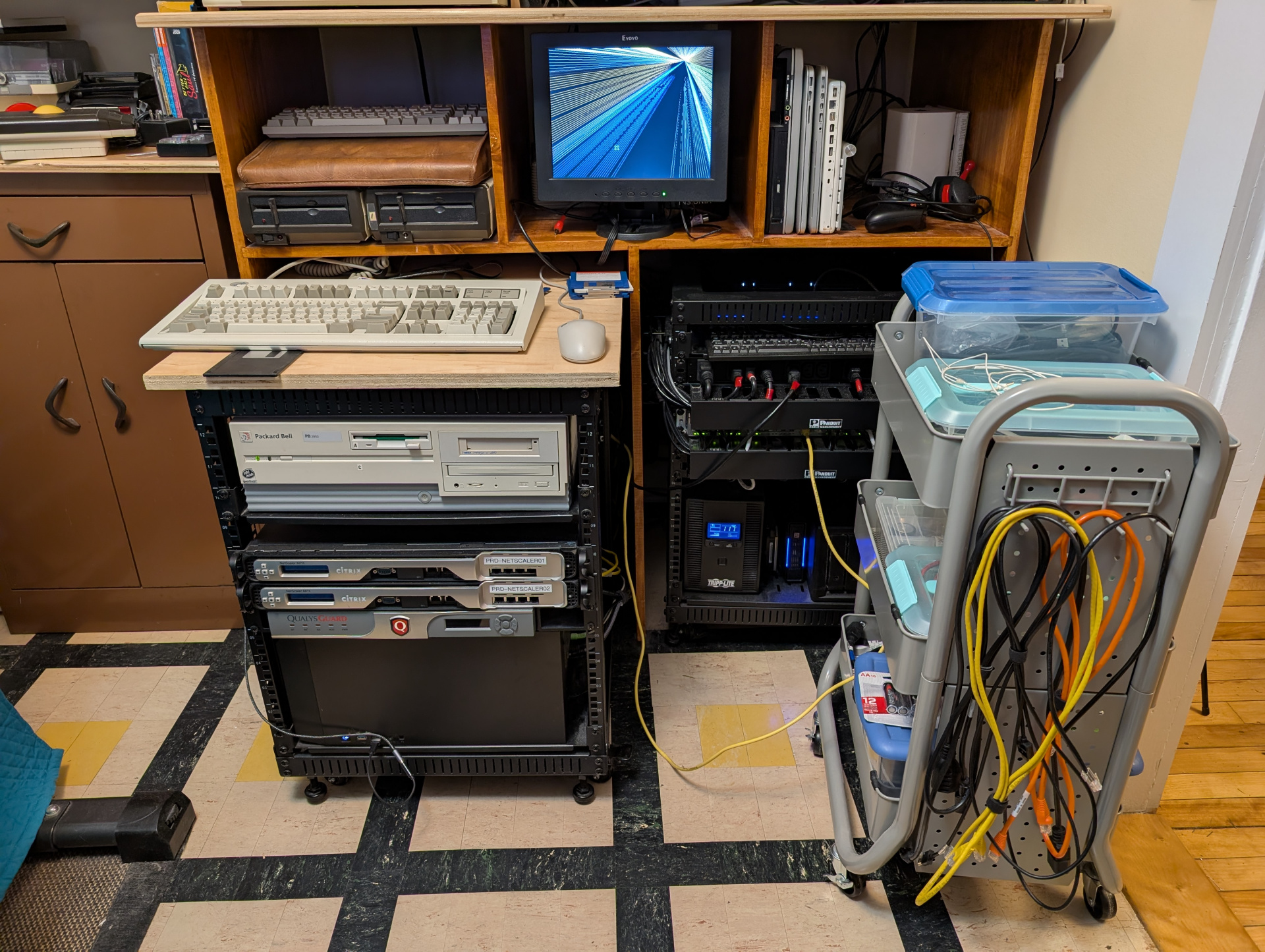
I'm very happy with the roll-away desk surface on top of this rack:
I have a lot of floppies that I need to start imaging and archiving and it's going to mean feeding this USB floppy drive constantly. I have an Atari SF314 external floppy drive with (at least) a broken switch, so I decided to gut it and managed to shim my USB drive in nice and snugly. The Atari drive is safely stored with my other projects to get that switch repaired.
This is 73% more enjoyable than getting disks in and out of this flimsy little USB drive that skitters around on the desk!
I did take the Atari drive apart to try and add the floppy bezel and/or parallelogram eject button, but the bezel doesn't fit with the new drive, and the button requires the bezel to stay put. I decided to stop before I break some 40 year old plastic tab.
Well looks like that USB drive won't read double density disks anyway. Whatever, still looks cool I'm not even mad.
I might actually have to use a Packard Bell 486 with Redhat 4 or Windows 95 for this.