
Archiving Workflow

Sinéad O’Connor - Jerusalem
(AKA the nice lady who was right about near every goddamn thing)
I'm running this setup to backup some Atari ST 720K floppy disks I have. I'm interested in backups of BBS newsletters and general BBS/Early-Internet ephemera from the '80s and '90s and I'm finding cases where at a glance I can't find that specific copy of like STReport or whatever on the Archive. Also anything fun related to the specific Atari club we were all members of since this is likely the only copy of any of that.
I'm very happy with the roll-away desk surface on top of this rack:
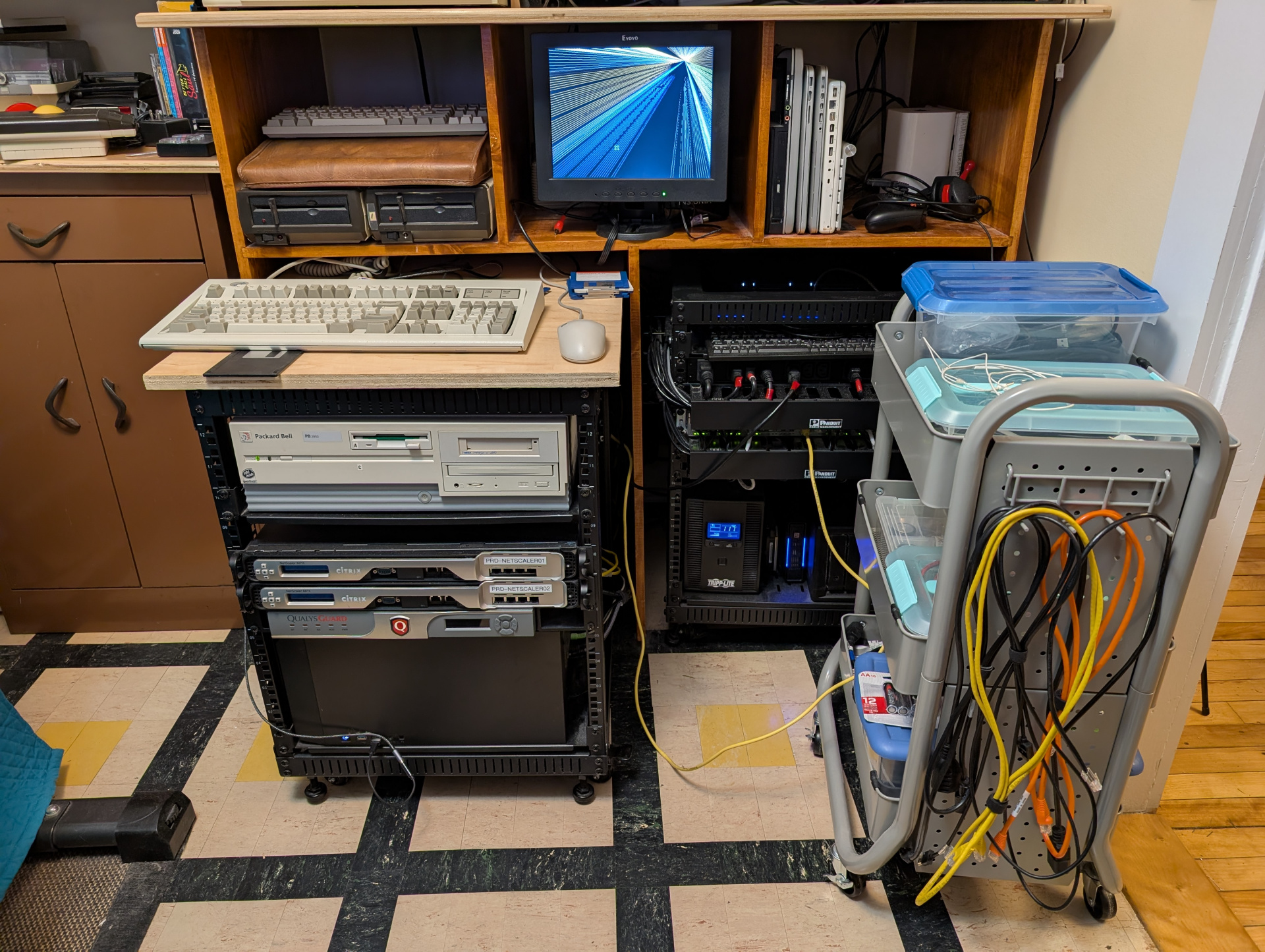
I am running with Redhat 5.2 and vanilla FVWM from 1999 on my trash-picked Packard Bell Pentium 120 with the original 1.44M drive. The workflow is:
- Pop a disk in from the left-hand pile
- Run the little archive.sh script as root which:
- Asks me for a descriptive name for the disk (label info)
- Creates a directory of that name
- mount floppy
- cp -R everything to /
<working directory>/files/ - unmount floppy
- make an image of the disk with dd that I can mount
- log all error output to a file in case some disk can't be read I have a record
- Remove completed disk and put it in the pile on the right and eventually to an "archived" 3.5" storage box so I can see what's ripped.
Then I can transfer the files with FTP or whatever to my archive system.
Take any bad-reads and...put them somewhere in the middle I guess and then do, something with them?
That's pretty much where I am right now. Workflow ground to a halt because of poor success rates reading these disks. I've got to try and figure out how to test these disks efficiently on the ST and stuff. They're not weirdo 80+ track 13 sector formats either and they're not copy protected or anything. The one I'm testing is a regular reliable 720KB formatted disk. I'm only looking at like 10 or 15 disks total here. This is a lot of infrastructure and automation to have built for that amount of stuff :-)
It's a cool setup though and it works great and XScreenSaver runs great.
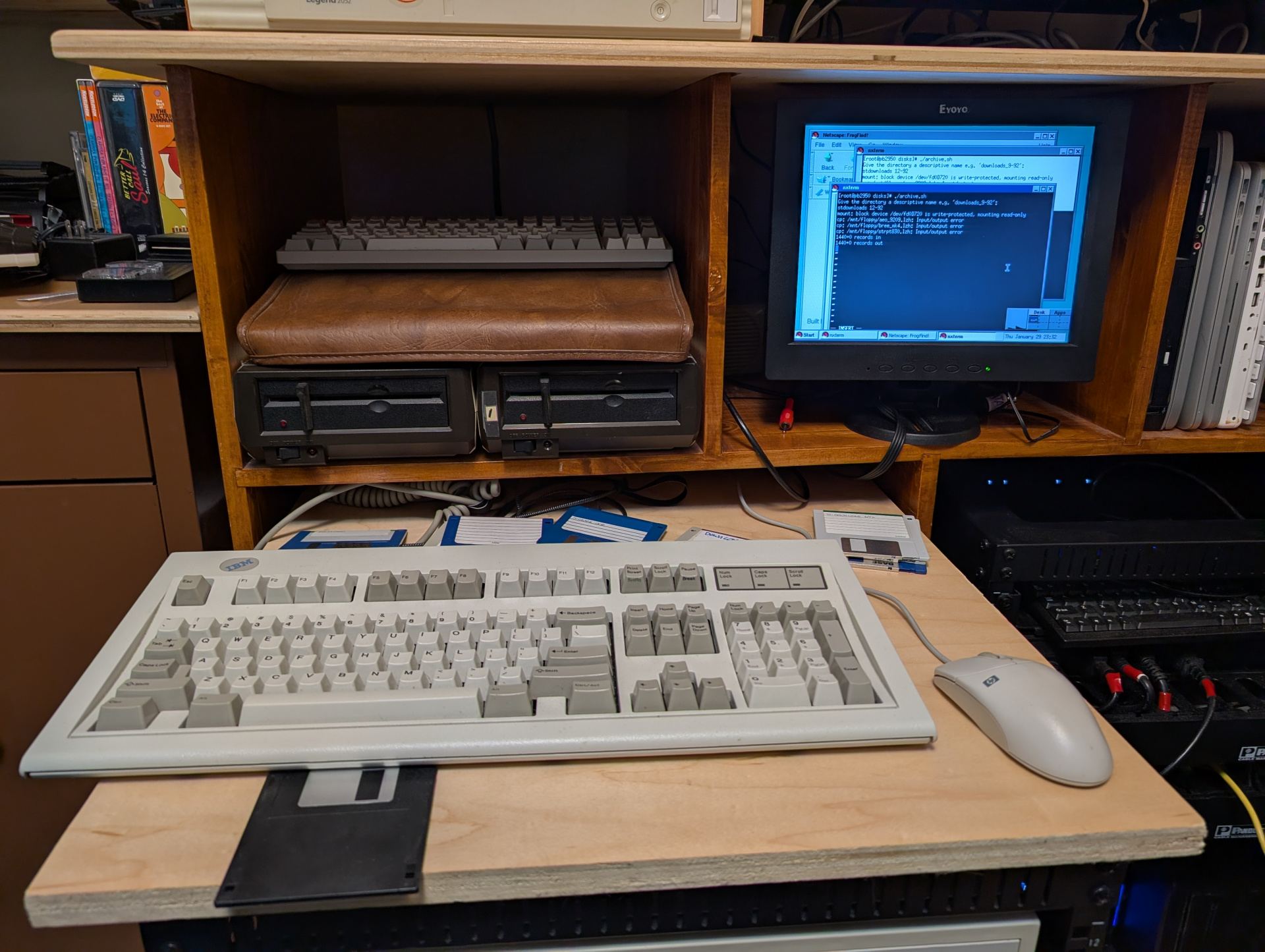
The thing that kills me is that that Model M is like 2mm at most too tall to roll into the Henge. It's not even hitting the back of the case, it's hitting the F-key row. That's how close it is to closing.
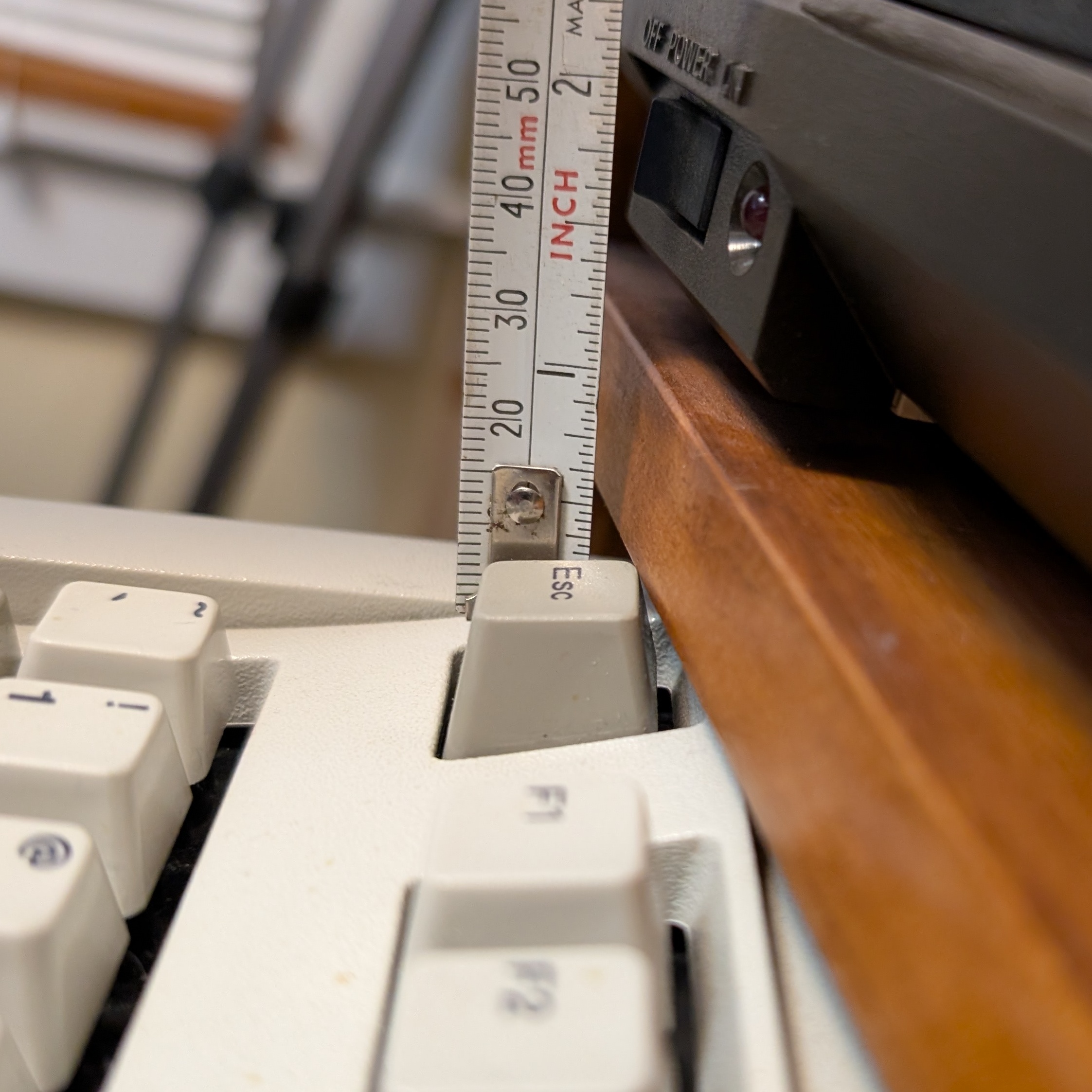
At Lowes they have finished "craft ply" that's basically the same as that finished maple but like 3/8" vs the legit 3/4" of this and it's not like it'd be able to flex or anything. I can turn this piece of wood into 3 shelves for my desk like tomorrow. I'll get the craft stuff and then I'm going to make an insert lip to drop it in as-needed and secure it in the top of the rack. There are definitely times where it's important that it be easily removable and I don't like it sliding around like it does.
I could probably do this on the real ST + a BlueSCSI or something I hack together, but using bash is way more convenient and I don't have time in my life to get modern mass-storage working on the ST. My USB floppy won't touch 720K disks and of course my main workstation doesn't have a 34 pin floppy port anymore. Atari's format can be read by PCs though I don't think that was even 100%. Like I seem to remember back in the day "disks formatted on DOS work fine on the ST, but disks formatted on the ST don't necessarily work in DOS if you don't have at least TOS 1.4". Seems like in these cases though the ST has the same problems with the same disks. The ones that work fine aren't different in any way in terms of brand, formatting, etc. I think they're just too old.
I don't really want to add a lot of miles to the ST drive either. I only have two of those mechs and I think they're pretty specific because of the button. I have like five standard 3.5" PC drives. I'll physically look at the disks to see if I can identify any surface issues or anything I guess. I don't know if it's possible to "best guess" or even brute force repair a flux image with some local AI pattern matching program or something. May be worth getting a greaseweazel and finding out?
Also I have a VGA + USB switchbox so I can just switch between all the PCs and NeXT and stuff that I want to set up. Then I need to get another one to switch all that between this little monitor and the big Checkmate up above.
- xrayspx's blog
- Log in to post comments
- 535 reads