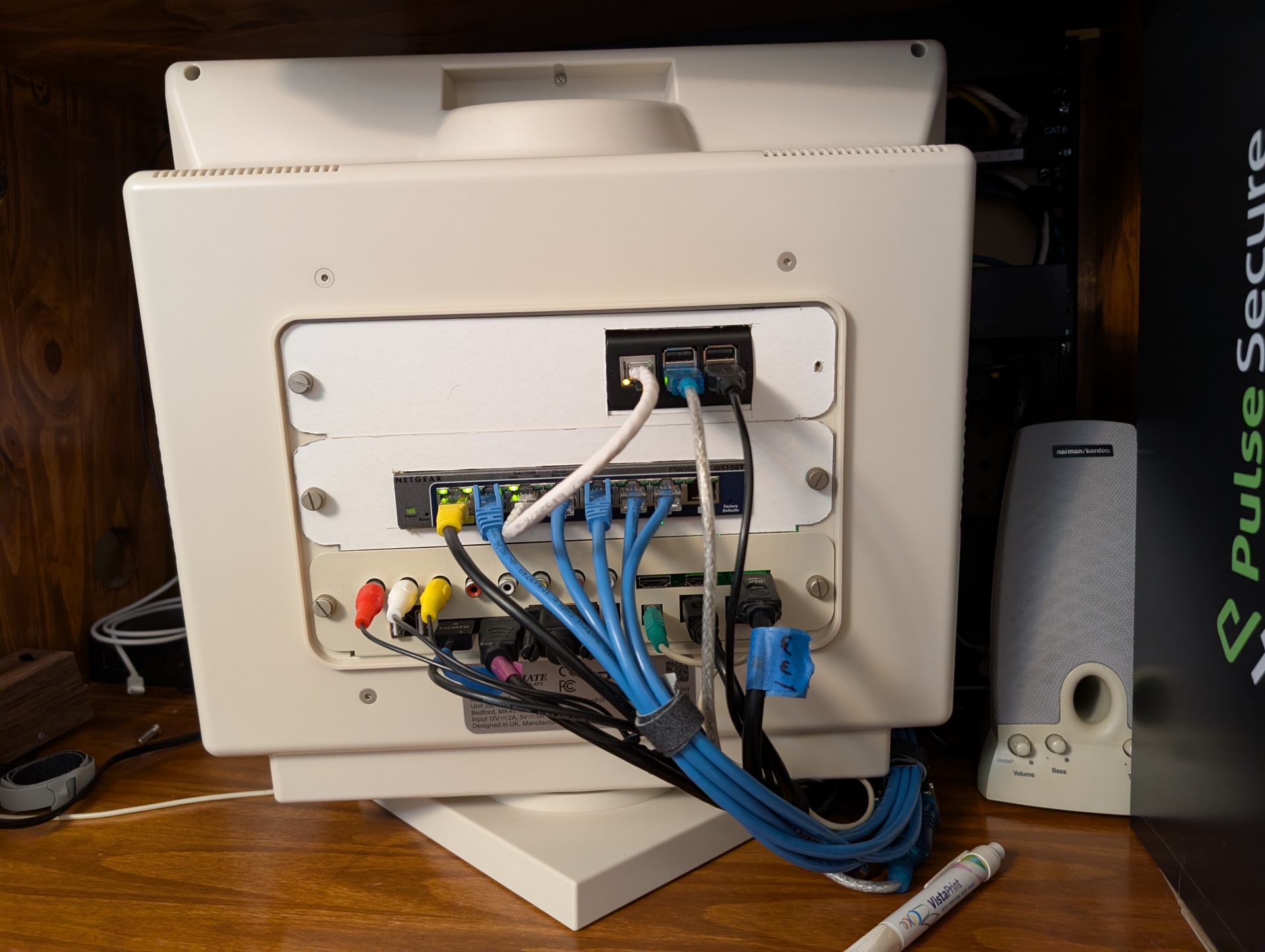
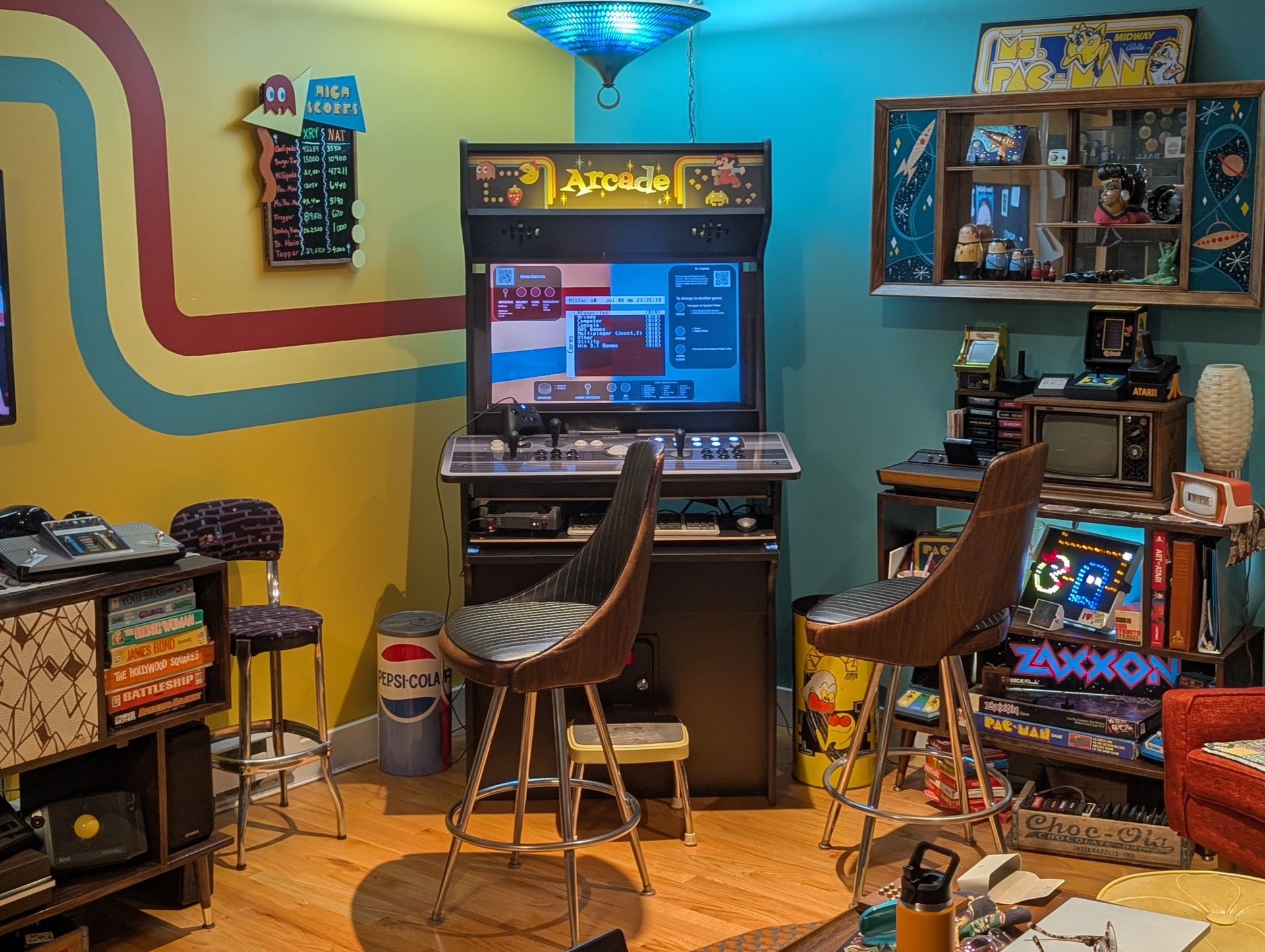
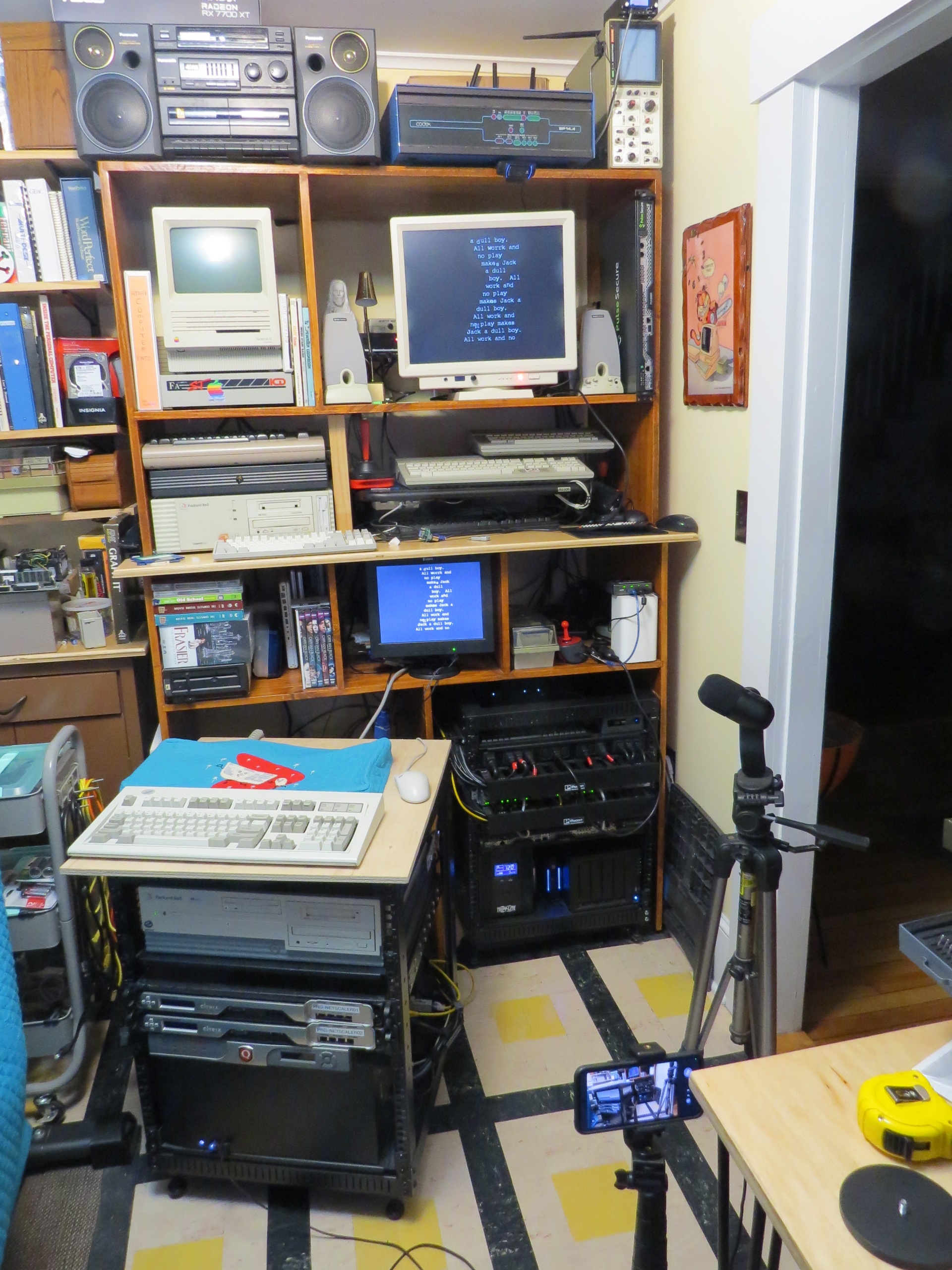
It just occurred to me that I never finished the video and walk through of the cable management project I did a couple months ago. It came out great and hasn't been a problem since I did it. Honestly I've been on other projects, but I know that the next thing I do with that retro-gear is going to be a breeze.
As you can see, the Checkmate spins right around and it's super easy to get at everything without putting any strain on any of the ports or stretching any cables. It's never going to win the tidiness olympics, but it's all safe and convenient and well managed. I do like some organization porn though, and this is definitely that.
Big thanks again to Checkmate for making exactly the right product for my extremely specific use case and tying this whole collection of stuff together in one easy to navigate package.
I would pay the MiSTer project money and jump in and help in any way I can to help with a "Lite Mode" UI that could be quickly picked up by say, a house guest with their only instruction being on-screen or physical info-graphics.
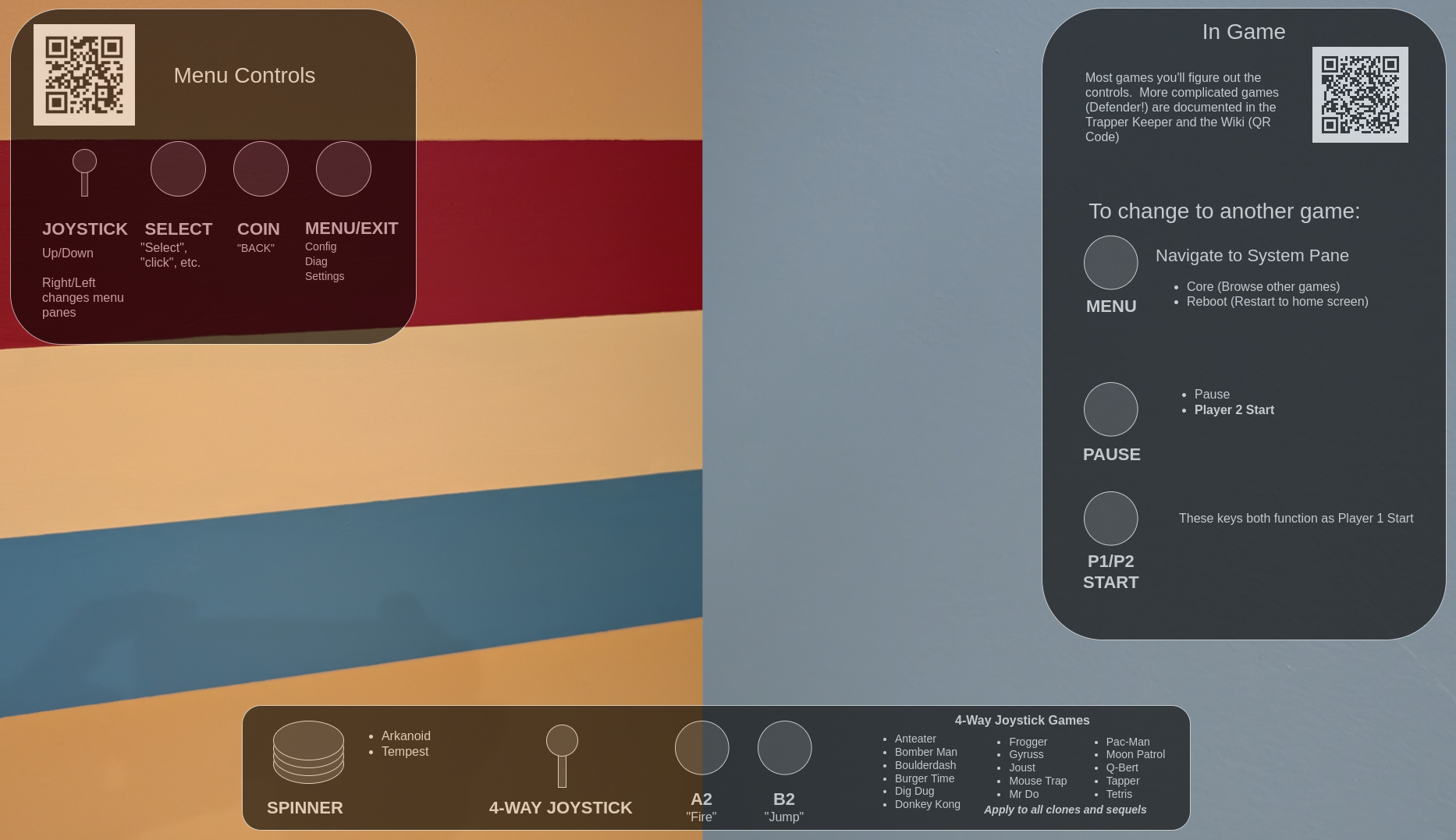
To that end, I'm making an arcade-cabinet-bezel inspired custom background overlay with basic "how to navigate" with QR code links to my Wiki for a little more detail if the user needs more specific info.
To give myself a visually consistent target I took two photos and crammed them together and have been meaning to share the result:
This effect really only works from very specific spots, but one of them happens to be "Standing at the controls".
The current running test is below. I've already got a list of things to change and yeah I promise the first thing is to remove my phone :
This is pretty stupid, but this is the kind of thing I do when I'm bored. Obviously I'm making a sub menu from my main boot menu to do the same thing directly in Linux, but this is more fun. And when everything breaks I'll be ready for it.
In my intro to the Checkmate monitor video I mentioned how I'd love to have this on a datacenter bench and maybe throw a switch in there as well. Well now I'm going to do that.
Now that I'm starting to use all these computers for more than a couple minutes once every few months it's time to build a proper isolation network. I'm beginning the process or archiving loads of Atari ST and GCR Mac floppies so I definitely want to have somewhere safe to do that work. The little Raspberry Pi 3 in my monitor will serve as the bridge, serving old and insecure protocols to that network so we can have the full '90s experience. So it's listening on Telnet and FTP to host archives of all the NeXT software ever made for instance. I'll be dialing back Samba security to the point that a Windows 3.11 or 95 machine can connect to the fileshare. The Pi will also provide the WiFi network for exciting things coming up like my FujiNet cartridge that I haven't even tried to play with yet. I will very likely move DHCP and DNS resolution from the default gateway to the Pi just so I can pick the whole thing up and take it places. Plug devices in and they'll be able to get an address and browse by hostnames and stuff.
It's so nice to have an all-in-one solution and I'm happy to stick a little PoE powered switch in the Checkmate to provide the networking for all of it. This monitor is now a "pick it up and go" solution to demo a wholly contained network of 1980s and 1990s machines where no one can hurt them. If I went to things like VCF, this is what I'd bring to run my whole table.
That monitor is going to feature in a lot of my stuff in a big way. Every time I do a project I find a new use for it! Running desktop computers through multiple VGA switch-boxes? Still looks great!
Again, sorry for the "beginner" nature of all of this but I'm playing with kdenlive and learning how to speed things up and make short clip montages, so you can watch me suffer as I learn :-) It's basically 1978 PBS, WTF do you want it fits my entire aesthetic. Look where I live.
Stay tuned to see my friction-free and more importantly secure way of interacting with all these backend systems. Coming Soon!
I've got a ton of video, all of it garbage, about making a dumb shelf and backplate for my "retro things Isolation Network" that I'm trying to get down to like 20 minutes.
I think the thing to do is watch it all through, then make notes and then go back and execute the notes rather than try to do it one at a time as individual tweaks.
To manage this I'm gonna try and use my internal Wiki with a link on the homepage to like my Blog Notes category so I can go update stuff as I watch, then check them off as I complete them.
We'll see. I just want to put up the dumb "Switch in a Monitor!" video so I can do the really cool stuff of "How I am securing this since no one else talks about this stuff.
But since I've been working on this in the last two days:
My NeXTStation started hanging at the ROM Monitor check screen. I know this has happened before and I know I changed the iSCSI image but I think the real answer was something stupider than that.
This would be a way cooler demo if I had a second machine, like say a NeXTStation which was just working awesome like 3 days ago. I think I gotta just fire up the 95 PC what am I even thinking here duh.
I just replaced my webserver hardware up to the hard drive. I suspect this thing's problems aren't hardware but you never know and it's easier than moving everything.
I dropped one of the very nice thumbscrews from the monitor while I was wrangling cables. It's in the room somewhere. But if you've ever worked in a datacenter you know that a lot of the stuff you drop is just gone into the rack somewhere and you'll never see it again.
Bonus points for nice and beefy but non-ferrous objects. So if I could hit 'em with a magnet they'd probably be super easy to find.
NeXTStation status updated to Dead. All of this has happened before, and all of this will happen again
My stupid thumb is still bleeding after cutting it on Friday. I've lived with much worse without going to a doctor don't you worry. It could probably use like a stitch or something. I should figure out how to do that.
I've updated all my tools and unit tests for the video no one ever makes about how they actually do the work of dealing with their Retro networks.
Argh. I've got so much stuff to build and I just want to get at it already instead of wasting time editing nonsense that didn't even really work out!
Today was my last day at work, so of course I'm pulling an all-nighter working on projects and building my workflow. I don't think that will ever stop.
*I just got yelled at at 2:40am for pulling an all-nighter right now today. I'm like dude, it's my vacation, and this is me, relaxing on my goddamn vacation! I can sleep in a few days*
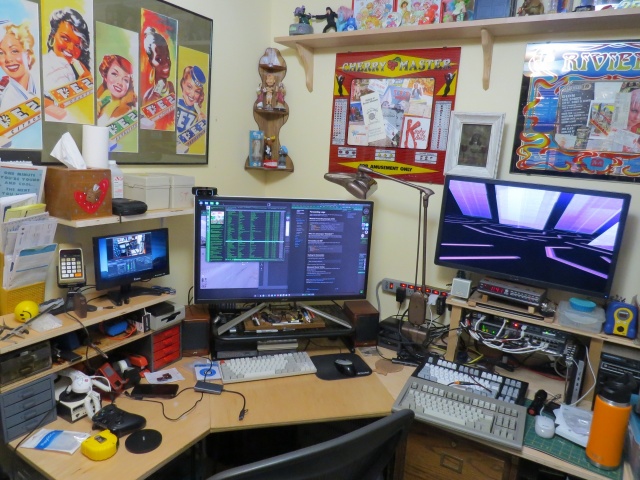
This is the desk I sat at for the last 5 years of my job and for two days a week for a decade before that. To be honest it feels weird for the job to be gone and for me to still be allowed in here. This is likely the last photo that will have my work laptop running Gibson in it. I am currently running through every bin and every parts drawer and converting my entire life over from full time network and server admin to ... someone who just hangs out and does projects and upgrades and documentation for a while.
And this is a sneak peek at what I mean when I say "I have a lot of projects in mind for this CheckMate monitor". I'm waiting for one sort-of crucial piece to this puzzle, then I'm going to make an in-depth tour of how I run all of this stuff, from media services to radio broadcasts. I'll be upgrading and making a lot of sysadmin improvements now that I have been freed for a bit. Retro computers are a piece, but are not really the "purpose" of this pile of stuff. My talents lie elsewhere. Fun times ahead as I embrace my inner digital hermit! I will explain why that is a good thing.
The Disposable Heroes of Hiphoprisy - Television, The Drug of the Nation
For a year now I've had a Checkmate 19" 4:3 aspect ratio monitor, and I want to show how that's getting used. The reason I kind of sat on it for so long is that I got frustrated, then depressed and spiraling, and finally decided to fix things and spend myself out of my problems. For Health! And here we are, fully working solution, I'm super happy.
I've seen these monitors start showing up in videos from folks like Nostalgia Nerd and Modern Vintage Gamer, but I haven't seen them really exploring it so I want to share some of my favorite use cases. And with my upcoming sabbatical I'm planning on doing a lot of projects involving the machines you'll see here so I wanted to kind of intro everything before I get started on those.
So let's go check it out! (Caveats: I am not comfortable making videos, and I'm not good at it. I didn't edit out many of my "behind the scenes" bumbling because if I have to figure it out, you have to watch me figure it out! Hopefully you find my awkward bumbling "charming")
TL;DW;
The Checkmate is not just a monitor, it's also an integrated electronics project box, 2u mini-rack and hacking platform.
Basically as I said I ran into one or two semi-issues. The 15Khz horizontal scan rate thing on the VGA port was a real bummer and sent me down a hole, but the OSSC Pro worked out great to help solve that, even though I really don't understand that thing at all. It looked like shit for like a month and just through random button-mashing I got it to work great for both mono and color on the ST. Thanks to CTRL-ALT-Rees for the in-depth review of the OSSC vs RetroTink video specific to the Atari ST platform. If I ever get up the courage to do a factory reset on the OSSC I'll try and document exactly what settings need to be twiddled to make this work in my case.
Thanks again also to BackOfficeShow for leading me to the realization that converting ST to VGA was all just a simple passive "hook the wires to the other wires" process which inspired me to do my Monitor Master hack!
Future projects and other use cases
I do want to see if I can hack a GoTek in there to use as a drive on my ST with the rotary encoder in the monitor. That would be about the slickest thing imaginable. I'll probably get a GoTek with an encoder and try to remove that one and use the monitor one instead.
There are 12VDC headers on the backplane board. Can I wangle one to a barrel jack and mount an 8 port switch in here? I have a couple of 12v@1A Netgear GS108T switches and I'd love to see if I can pull that much power and have a little self-contained network. This is pointless. The Pi in there is just on WiFi, but I kinda want to see.
My most recent job ships cases and cases of hardware to healthcare trade shows. Much of the network hardware for the booth and even small PCs for running demos could easily be securely fitted into a Checkmate with the HDMI out going off to a big TV.
Portable industrial control and automation platform as a self contained control station again with several SBCs and integrated network switching
I'm a network and datacenter-ops guy who naturally looks at everything through that lens. If I were building a crash cart or repair workbench I'd love these just to fill with low power SBCs (Pi 3 works great) and switching for a portable KVM, isolation network and test suite.
While they're not "cheap" for a consumer product, thinking in terms of even small-scale datacenter hardware they're an absolute /steal/.
Other Quirks
I did run into a race issue with the Raspberry Pi as well. I think it takes a bit for the monitor to be fully up and ready to receive video as it starts up. At first I thought it might have been an inrush current type thing, but I think it's just that the monitor isn't "up" yet when the Pi starts shooting out video.
When I'd boot the monitor cold there would be no video until I unplugged and re-plugged power to the Pi. To fix that I added a 10000ms delay to /boot/config.txt and it works great:
boot_delay_ms=10000
To give you a sense of the depth of my personal psychosis, the other issue I kind of have is a ridiculous future-proofing one that is bonkers to even be worried about. There are 6 HDMI inputs on this monitor, but only the main one is directly addressable through the front-panel buttons. Using the front panel, you can switch between HDMI-1 and one of HDMI-2 through HDMI-6. To select between HDMI-2 -> 6 you must use the remote. You can kind of see me do this in the video.
From what I can figure out this of course makes total sense. The UI firmware of the panel, like the off-the-shelf stuff that is the same as the EYOYO monitors, knows nothing about the riser card with all those extra ports on it right? The firmware knows about two ports. The external HDMI-1, and an Internal HDMI that the mezzanine card plugs into, and can select between them. The remote therefore isn't interacting with that COTS firmware to do this, but instead it's controlling the mezzanine card to switch the input among the other 5 ports, which is a very neat way to work around that. I mean obviously the firmware can select the riser card ports, because that's where the composite inputs live as well. If I had to guess it "only" had code to handle two HDMI inputs, so this workaround was implemented.
That's obviously a totally rational way to do this, and really the only way you probably can. It's awesome. My "planner" brain is just saying well, what about in 30 years when that remote is dead or lost. How do I select those ports?
For all I know I can control that mezzanine card totally in code over GPIO from a Raspberry Pi, or serial, or LIRC (which this probably is). Who knows. That's Future Guy's problem. I haven't even dug into that, but I certainly intend to! I want to see just how far I can push this.
Greetz and Links
Checkmate1500plus.com for making an excellent project out of total engineering passion. Excellent work all around to Steve and Appy and the rest of the team!
BackOfficeShow.com for showing how easy it can be to convert ST to VGA and switch between mono and color.
I made a quick tour video for an audience of about four. Here's a brief look at the basic stuff in my office, much of which I will do better quality videos about soon. Maybe like a monthly VAST/SPACE meeting? I dunno.
Enjoy the 1992 aesthetic. Pretend it's a VHS-C tape or something you found at Goodwill.
Update: I didn't notice the screensaver during the whole desk part until uploading just now and it's my favorite thing ever.
I have a lot of floppies that I need to start imaging and archiving and it's going to mean feeding this USB floppy drive constantly. I have an Atari SF314 external floppy drive with (at least) a broken switch, so I decided to gut it and managed to shim my USB drive in nice and snugly. The Atari drive is safely stored with my other projects to get that switch repaired.
This is 73% more enjoyable than getting disks in and out of this flimsy little USB drive that skitters around on the desk!
I did take the Atari drive apart to try and add the floppy bezel and/or parallelogram eject button, but the bezel doesn't fit with the new drive, and the button requires the bezel to stay put. I decided to stop before I break some 40 year old plastic tab.
Well looks like that USB drive won't read double density disks anyway. Whatever, still looks cool I'm not even mad.
I might actually have to use a Packard Bell 486 with Redhat 4 or Windows 95 for this.
Jeanne & The Darlings - How Can You Mistreat The One You Love
I've got a backup management tool set to write. I'll post it when I've got something written and implemented.
I have a small-ish NAS. I currently do nightly Read-Only backups to another NAS stored at a friend's house. Every so often I'll do a "destructive" (Copy & Delete) backup to clean up any files I've deleted or moved since there would be two copies on the target. I only run that when I'm reasonably sure things are "good" on the main device.
My new plan involves a second off-site backup and will give me an effective 2 month backup retention period.