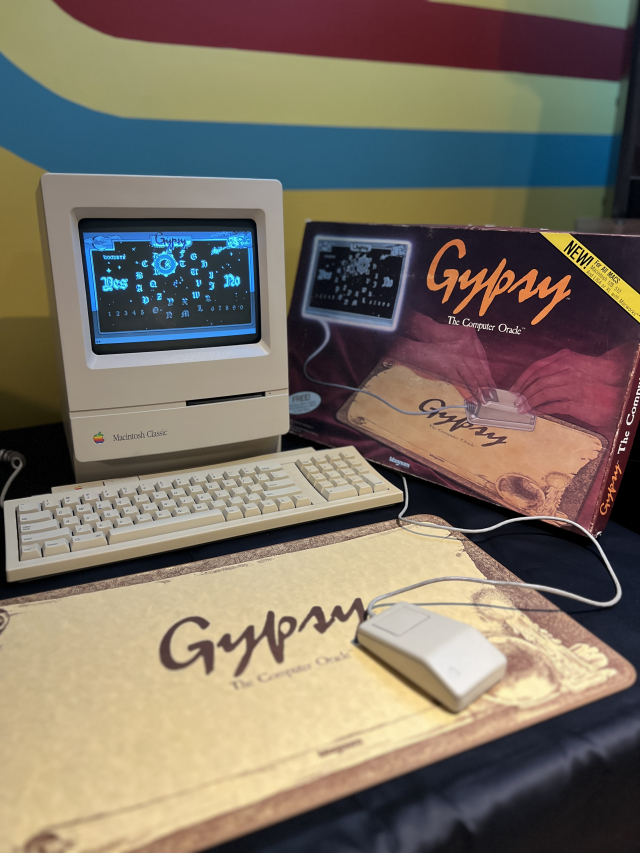
A couple of months ago the Salem Witchboard Museum got a copy of Gypsy: The Computer Oracle for the Mac from 1985. We got to play with the game on original hardware and took some photos for their site in our livingroom:
I immediately copied the software and started trying to make an image that I could play in emulation. But a 400k GCR Mac floppy, while I could easily copy it with Copy II it turned out to be more difficult to image and there don't seem to be any archived anywhere that I was able to find. An image just fell in my lap today and has now been uploaded to Macintosh Garden for preservation!
I've quickly bashed up a menu listing in my auto-booting Raspberry Pi emulation machine. Ultimately this will automatically boot to the game and hopefully be used in an interactive display in the museum.
Note: This ugly disjointed ramble has been in my "Notes to myself that I'm never going to post" queue for a couple of weeks. But JWZ has recently tried to finally engage the enemy and released XScreenSaver 6.11.
I've been running Linux with XScreenSaver since the very early days of KDEs usable existence on my daily driver machines as a senior sysadmin, network admin, tools hacker. Overall this has been the correct choice even though for several years there in the 2000s sysadminning my workstation seemed to be like 60% of my job. At the end of the day, I'm just some guy. I'm not a developer, and I'm not part of The Community of circle jerking Thought Leaders and Influencers. Just a worker bee with 30 years of workflow and tools I want to keep working. Most of my personal productivity tooling has survived migration to Wayland, but several things I rely on, such as Synergy (copy buffer sync) are major blockers. XScreenSaver is a pretty major blocker for me too.
However in their utter dismissal of tools like XScreenSaver, Big Desktop (Wayland, KDE, and I assume GNOME) are really pissing me off as a user and pushing me back off the platform. It's just emblematic of how emphasis is moving away from users being able to define their own environment to their needs and toward more control from RH et al.
I don't know why Wayland and/or DE projects don't even entertain the opinions of the developer who's been consistently locking screens on Unix for over 30 years. I don't hear Jamie even really wanting to handle locking the screen necessarily, only that there's no framework to work within the existing locking mechanisms to show hacks at lock time. XScreenSaver works (with hurdles of course since nothing can ever be painless in JWZ-world) just fine on MacOS with Apple handling the locker as far as I can tell.
It baffles me to see responses from leaders of distros that boil down to in a post-CRT world your use case is irrelevant, your machine should be asleep to save power, Consumer. Screensavers are not a RedHat approved use of electricity. So no one should play video games because it's a gluttonous waste of energy. Nevermind the fact that with modern monitors and SSDs a NUC can run for days on screensaver before you approach my power draw for 5 minutes in 2000, with my 3x 21" Trinitrons and spinning drives grinding away. Man, the heat that used to come off of all that shit. The power consumption argument is as dismissive as it gets.
Wayland and DE people talk "security", and I get that things such as KMag can't work because windows shouldn't be able to know what is being displayed by other windows. Get it. But my security profile isn't "I'm on an NSA workstation on an airgapped network". My systems are all inside my house. I habitually lock screens out of A: Good Security Practice and B: keyboard-typo-safety. If I get up to pat my cat or get a snack, I want my machine to be Hacking the Gibson when I get back in 5 minutes. I do not want my machine to sleep since I probably have 30 RDP / SSH sessions open to other hosts. If someone needs to sit at my terminal to get the Secret Missile Codes I've got bigger problems. They've probably already killed me and my cat.
Microsoft and Apple figured out how to securely let a third party display a screensaver while the OS handles locking decades ago.
It should be embarrassing to Big Desktop that XScreenSaver works better on my goddamn phone as a live background than it does on Wayland.
"What never was cannot be broken" / "Works well and as designed" -- Guy Who Isn't The Whole of the Problem.
I guess someone needs to write "Why Cooperation With Wayland is Impossible".
I can't fucking wait until ssh forwarding breaks with applications I care about. I'm sure it'll happen one day and just make my systems that little bit less useful. Remote Display / Tunneling is a Worthless Legacy Feature. You should use RDP now or VNC or whatever...
It seems like I really don't write very much, but that's kind of a massive misconception. I don't write "much", but I had a bunch of blog entries that were at least 60% written and were missing like, screenshots or links or tags or I need to make new tags for things like XScreensaver and BSDs. Haiku. Shit lots of stuff.
I'm a KDE user. I like having my ultimate control over look & feel, even though in almost every sense I'm a "leave it default" guy. But I have a nice MacOS-ey theme, handily and easily-ish customized for the proper Green on Black color scheme which is one of 1.25 acceptable palettes (amber on black):
PICTURE
Note things like the Strawberry media player window and the Dolphin windows, these will be important at probably some future date.
My mom has a Mac, and occasionally something will fuck up in a way that is best fixed by me having some control over her machine. I had one of those cases last week and it was embarrassing that there was no good way for me to get remote access. Google Meet doesn't cut it, but there's a whole other Chrome Remote Desktop app, but that was a lot of hoops to install and gave up any hope of walking my mother through the install process.
I've been testing Haiku OS pretty regularly as they'd release a new beta, but I hadn't ever really given it a fair shake. I saw it simply as a way to make old computers run somewhat modern software and load a wikipedia page or something. But with the release of Beta 4 I decided to give it a real chance and installed on an i7 laptop with 16GB of memory. Pretty much the same as my main Linux laptop.
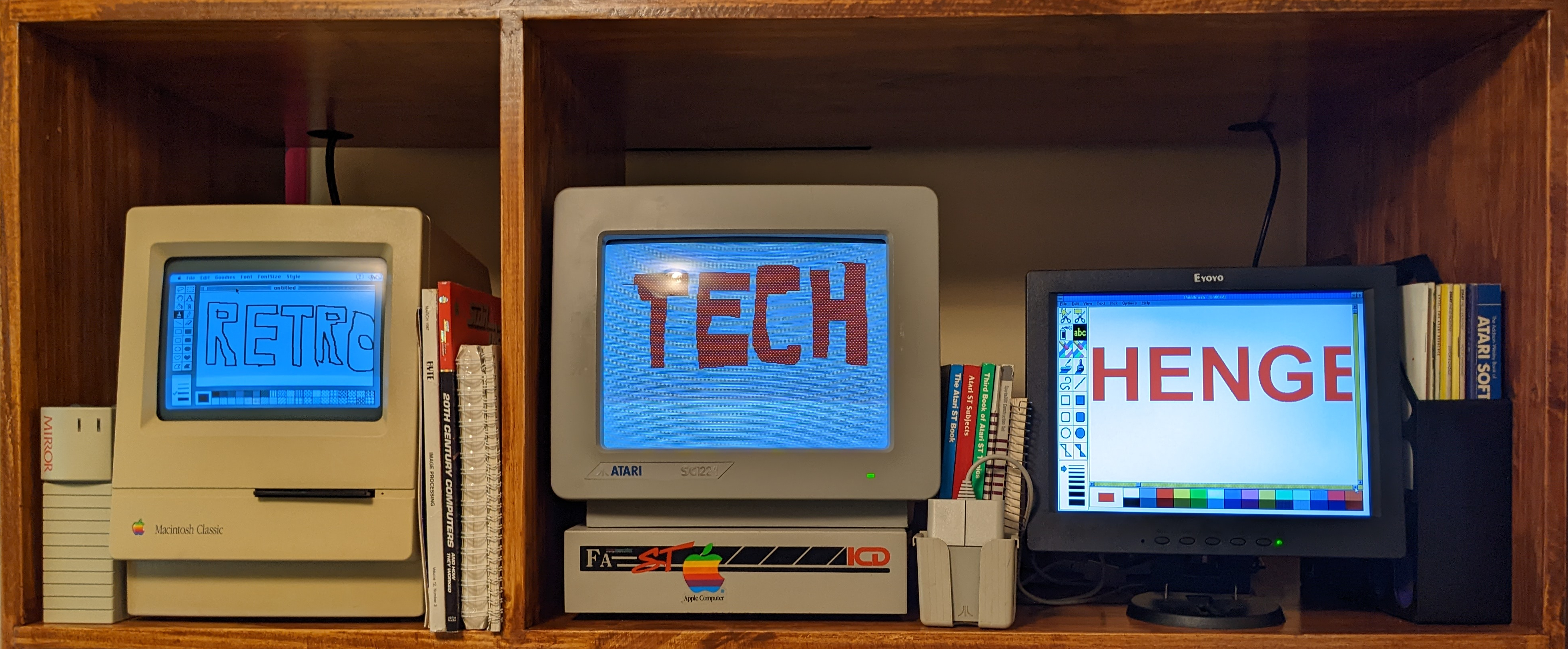
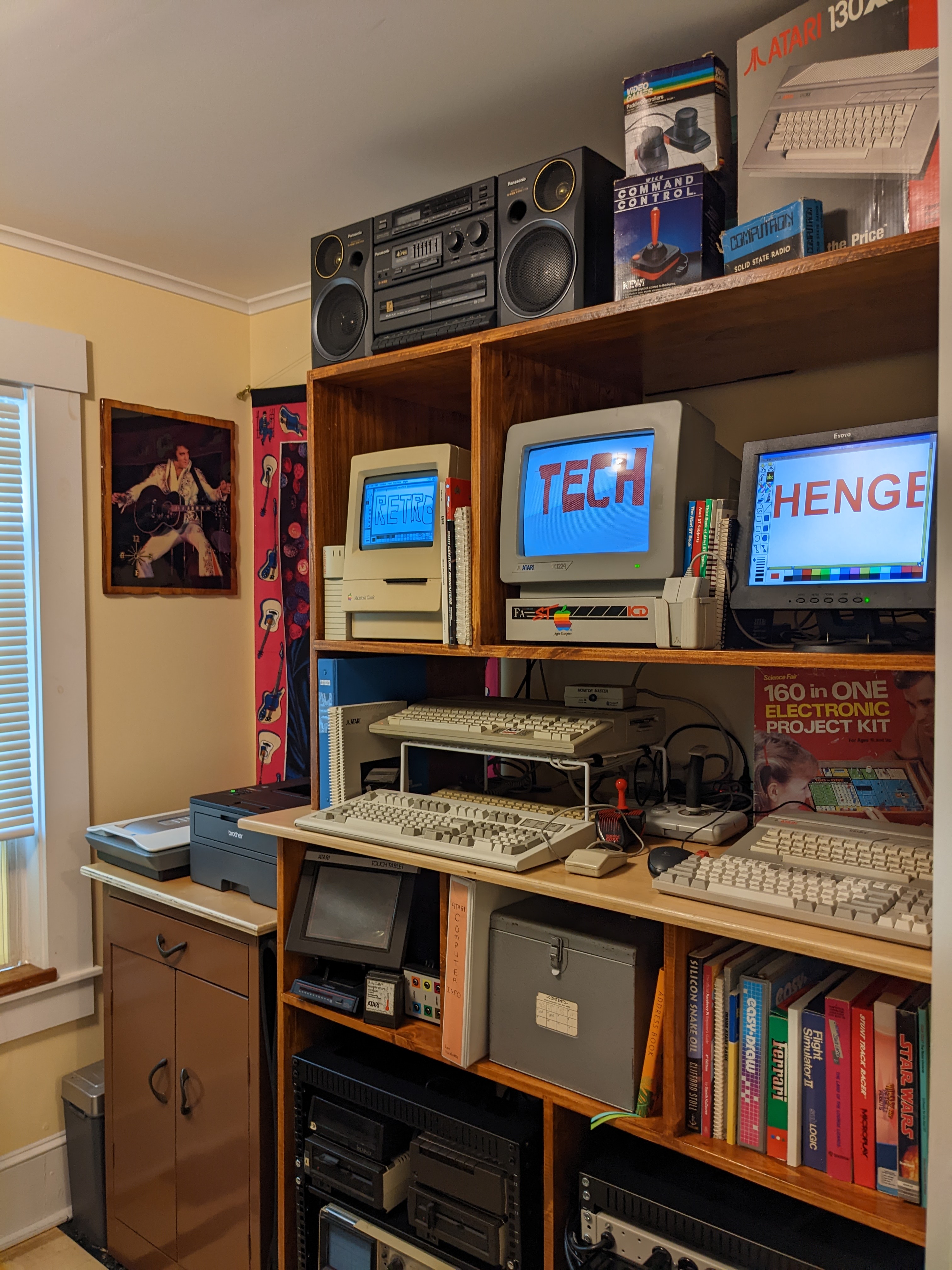
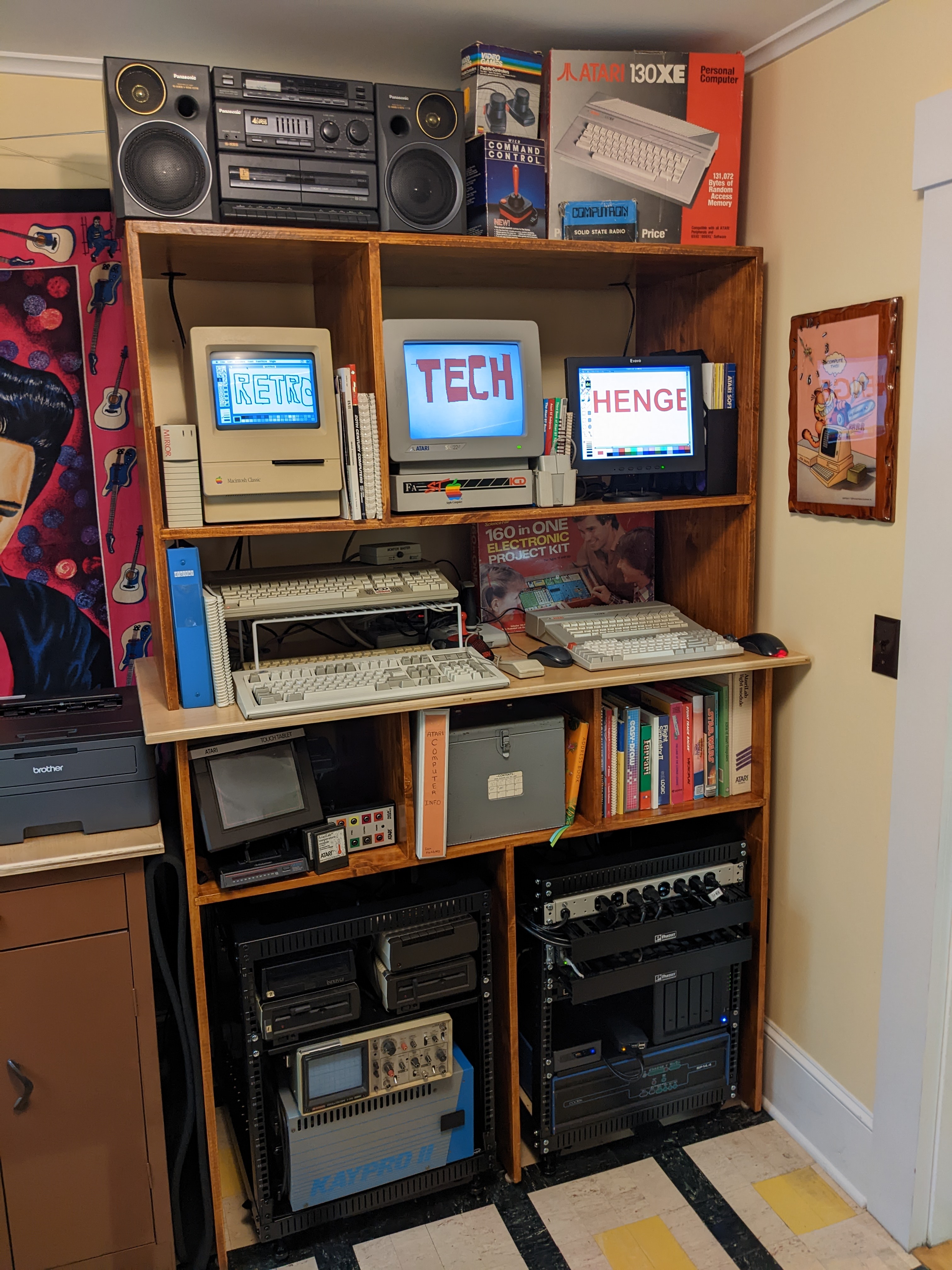
As noted previously we basically just bought our way into a retro-computer collection with the addition of an Atari ST and two further 8-bit systems. This created problems for us, but we decided to solve them with craftsmanship and as a result Natalie built an impressive henge.
Previously my office had a bookshelf that Natalie built while I was out of town for work. It worked great for 10 years or so but the shelves were only 10" deep, and while I was able to cram an impressive amount of stuff on there, it had to change. So we designed one 24" deep with a work surface a couple of inches deeper than that, and then a 20" hutch for the top section. This will allow us to have several layers of display items with storage behind them.
Because as is my motto: "If It's Not Display, It's In The Way"
So we've spent the last week setting everything up and trying to consolidate all the new stuff into bins, test what's working and what needs repair, and cabling up all the systems and network hardware. We put two 12u racks in the bottom, one is full of network hardware, NAS, and webservers and the other has several Atari 8-bit peripherals that are hooked up and then storage for in-progress projects like the Kaypro II. We designed it with the three cubbies to accommodate our printer and scanner, but decided that they were better used with books and stuff, so as a bonus we swapped out the top on a metal cabinet we already had and it really fits in well.
You can already see there's room for 4 computers/keyboards and mice "comfortably", and we could probably have 6 going if we really wanted to add anything more. We'll be spending some time to come trying to find the most effective way to fill this thing, but I think it's off to a good start, and we can nearly eat on our dining room table again, so that's a bonus! I think all we have left to do is unfortunately send the Elvis tapestry on a permanent vacation and replace him with 3 or 4 bookshelves to hold all the software and documentation we got with this haul.
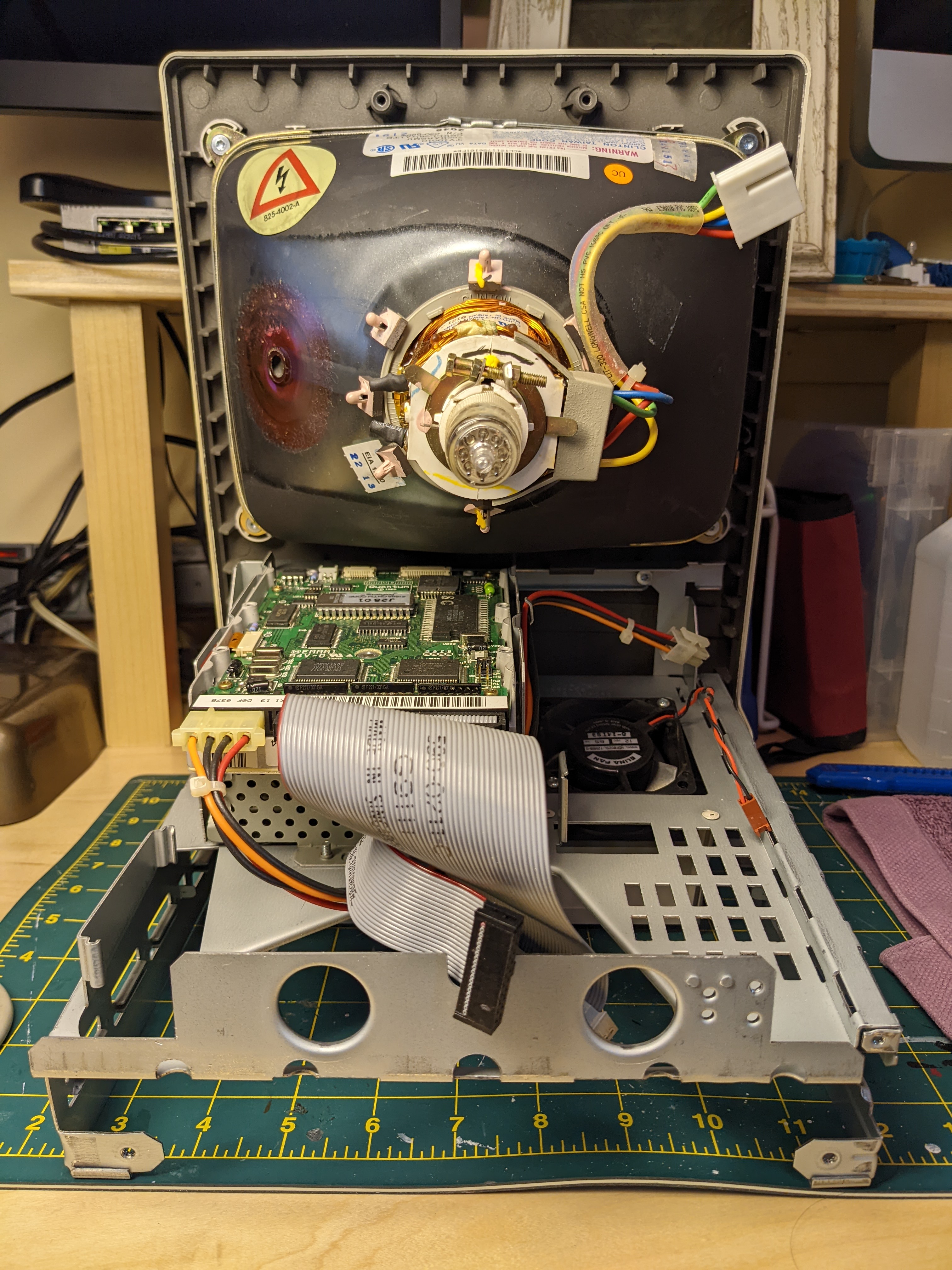
Success. Today we (Mainly Natalie), recapped the high voltage board and after a couple of long waits starts, it boots straight up off the 40MB hard drive into System 7.01!
Of course, there's nothing on this machine. It's got Word, Hypercard, and that's about it. No Mac Paint! No Oregon Trail! So the next step on this adventure is obviously going to be to figure out how to get some software onto the machine.
Note: I say "We" a lot. Natalie has been doing at least as much of this work as me. She has a whole method that she likes for the tantalum caps so she pretty much installed all of those. She even discharged the CRT. We learned later that the Classic seems to bleed the CRT automatically which is nice. I'm still sticking a screwdriver back there every time though just to make sure.
Good and bad news on the Mac Classic front.
If you read in part one, we over-paid a princely sum for a Mac which "Works as intended", but which should really have been "For parts or repair" for 1/3 what we paid.
So I'm personally beholden to make this fucker run regardless of personal cost in blood or treasure at this point.
"Rookies do very tidy job and rightfully feel pleased"
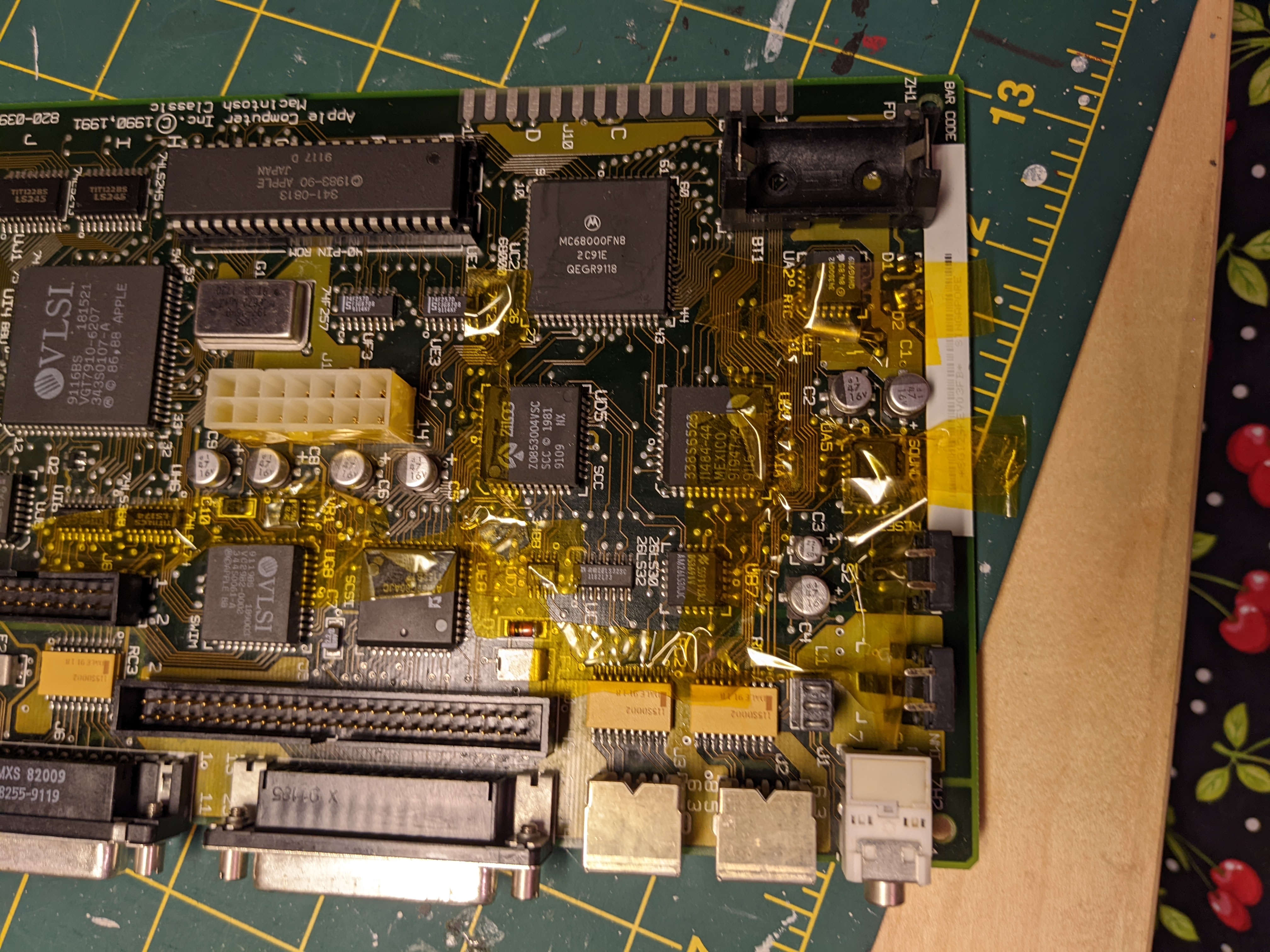
We recapped the motherboard on the Mac Classic. We got a heat gun, generous with the tape all around to make sure we didn't mess up any other components, and quickly and easily got the old parts off, we cleaned the pads up with solder wick, tinned them with new solder and put in the replacement tantalum caps, applying a bit of flux and cleaning regularly along the way. No damaged pads, everything went extremely smoothly regardless of which of us held the iron. Natalie really did most of the installation of the new parts.
Before:
After:
"Rookie makes Rookie Mistake"
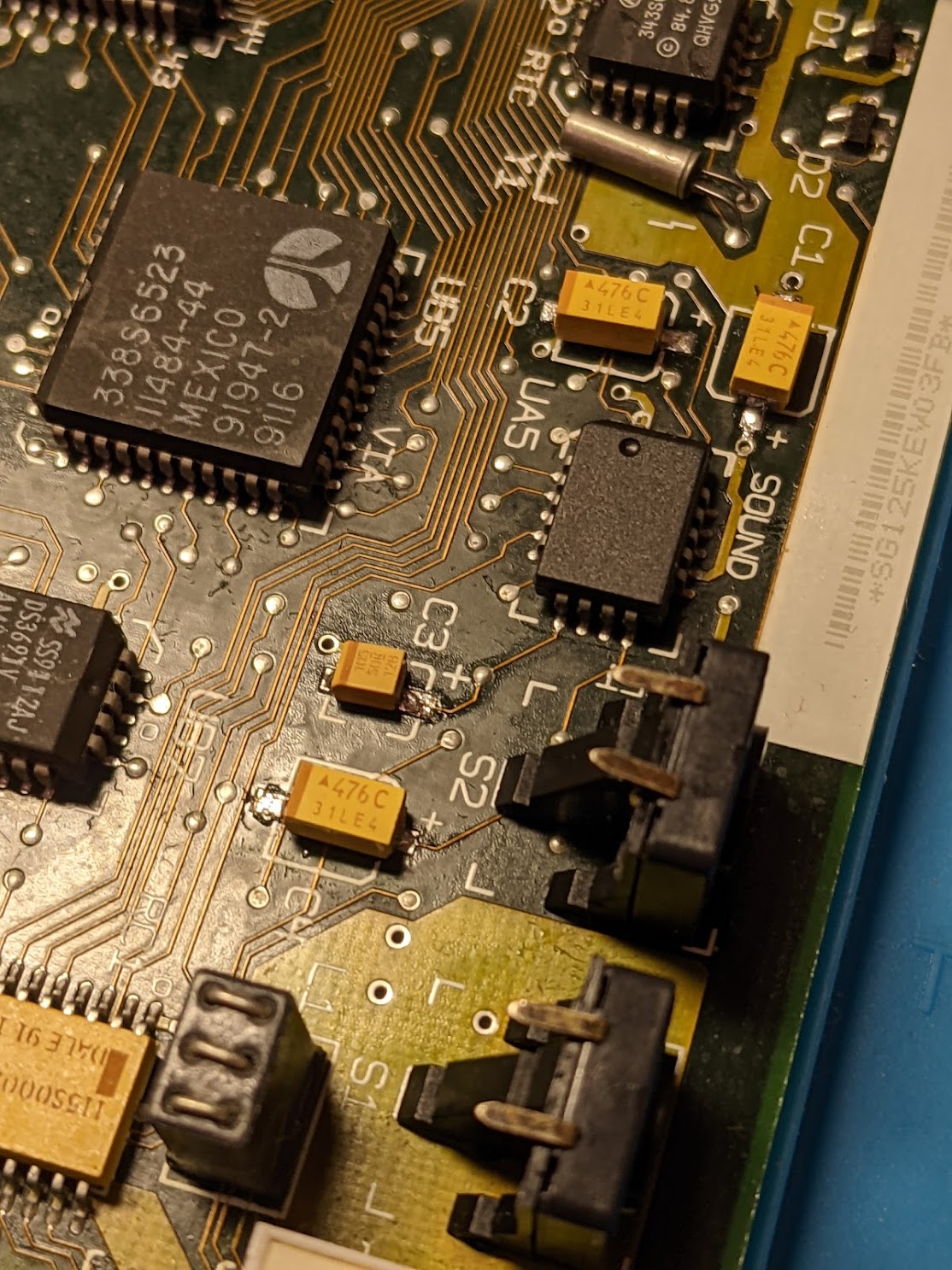
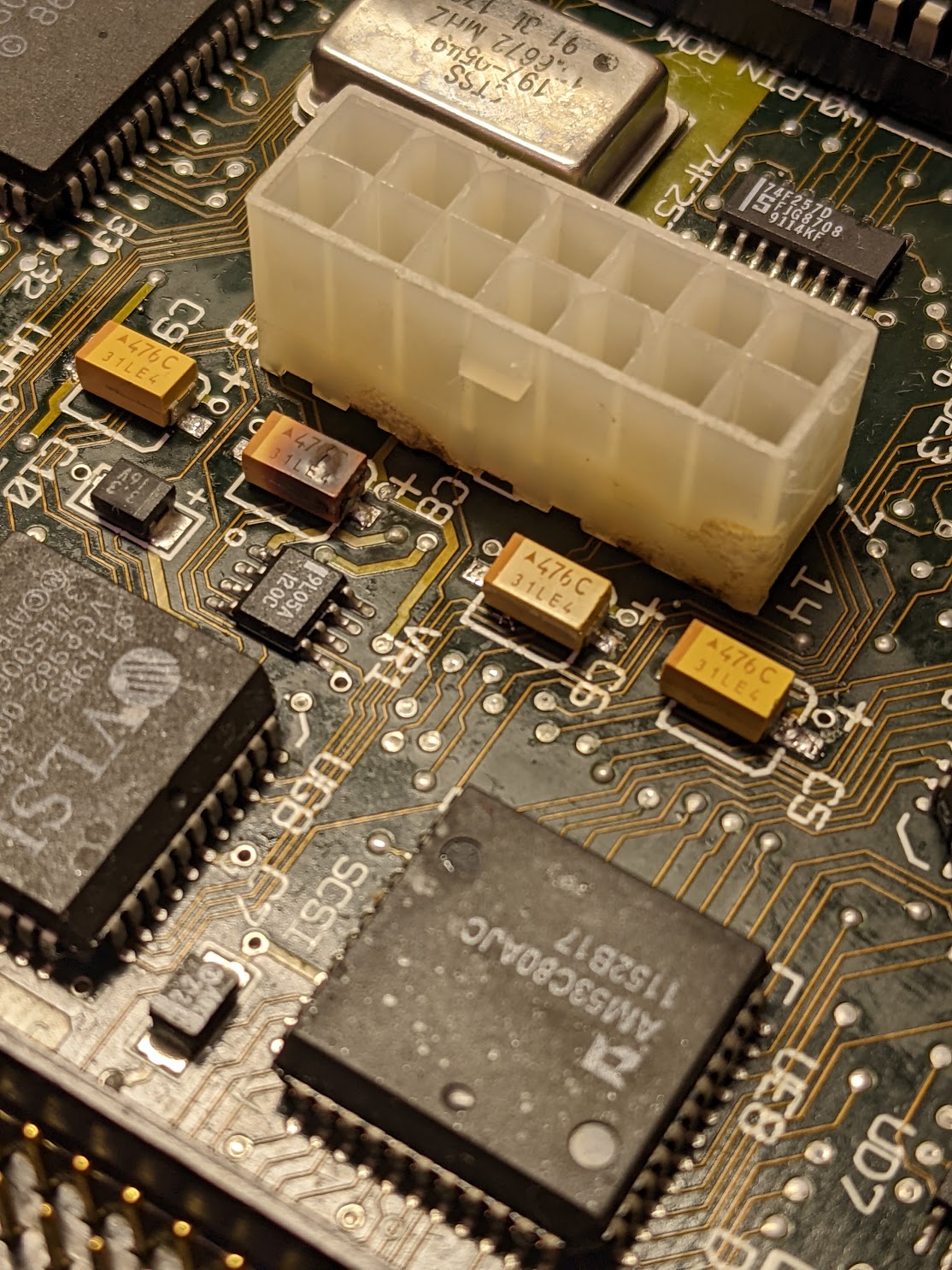
The eagle-eyed among you already see why my office smelled like shit all day last Saturday. Of course, tantalums don't note polarity the same way any electrolytic I've dealt with has. So we installed them all backwards.
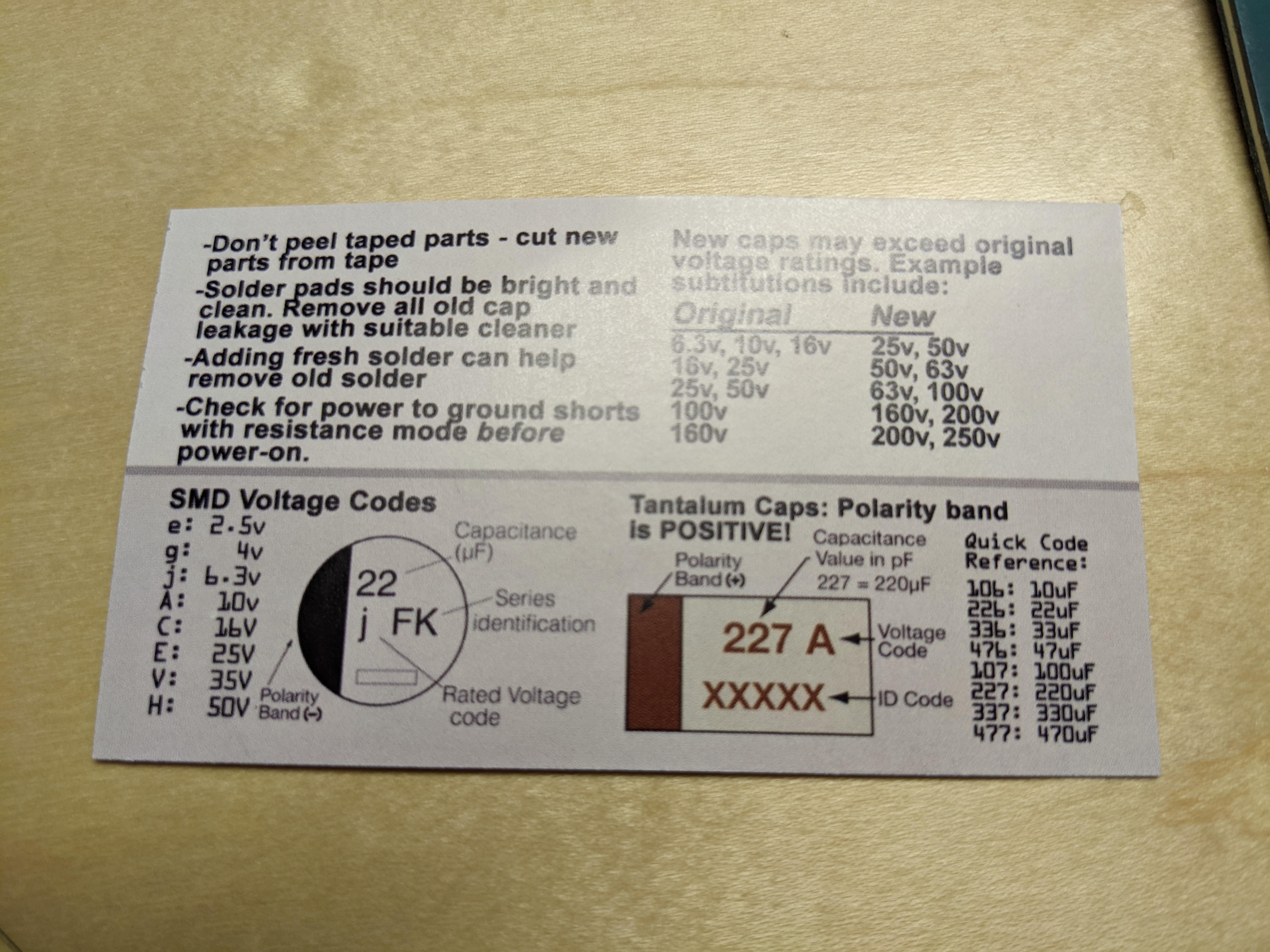
I know I have seen at least one person mention that while doing a recap and replacing electrolytics with tantalums. In fact, in the box from the company we ordered the replacements from:
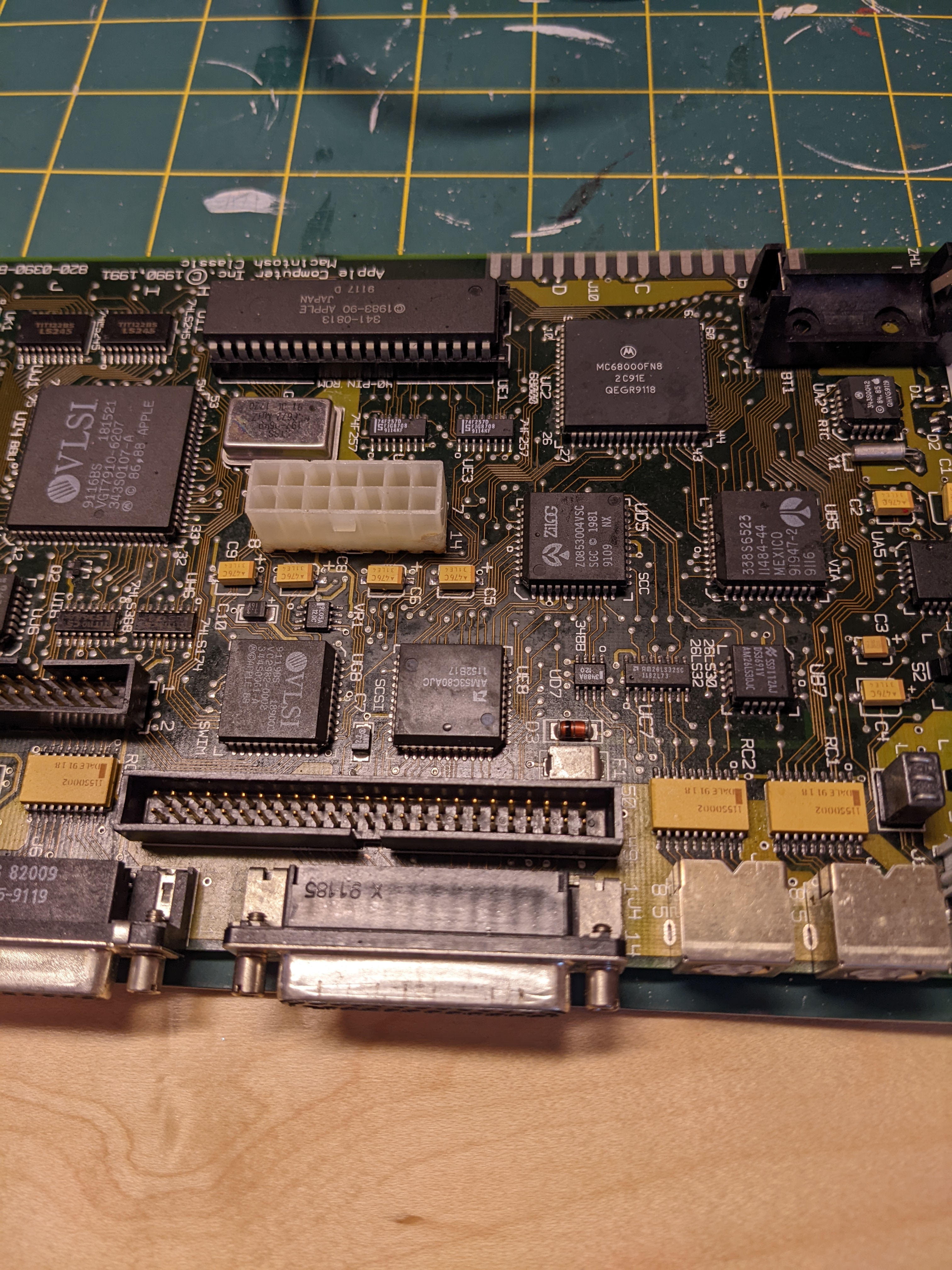
So it's not like there weren't ample people trying to get this information into my head. Oh well, happens. Here's the before & after, after the second recap:
I also took the cardboard shield off the high voltage board and saw sticky burnt electrolyte gack on the back of the board. That gack was the smell that took this machine beyond just "nicotine soaked" when you turned it on.
We've removed the high voltage board and will re-cap that in Part 3.
I'm in no position to recommend the hot air station we got, but it was just "not quite the cheapest one on Amazon". Came with some extras like a pair of side cutters and a couple pairs of tweezers, so that was helpful.